The primary purpose of relationship tagging is to track connections and networks between donors. This includes family members, organizations, team members, etc. Below we share a few examples.
Example 1: Tracking relationships between an organization and their founders/donors.
Organization: The Obama Foundation
Founders/Donors: Barack and Michelle Obama
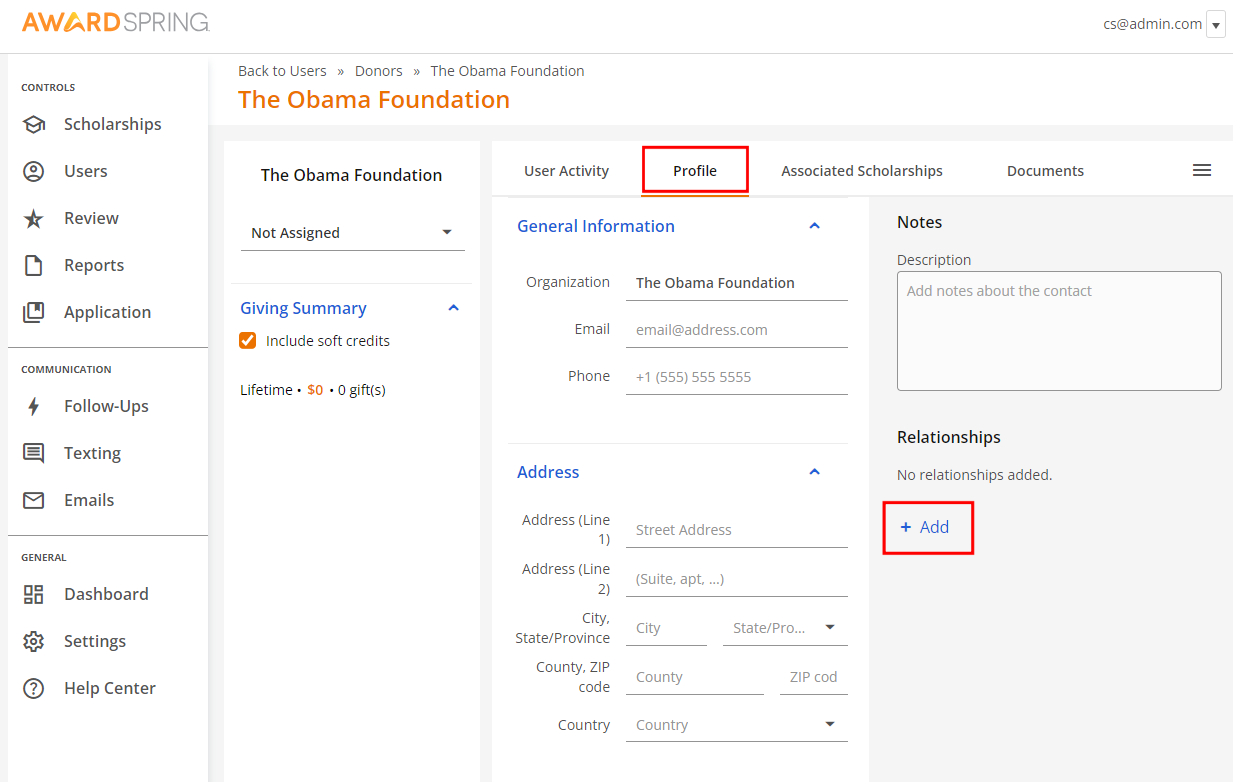
Once the foundation organization donor account is created (including the individual donor accounts for Barack and Michelle), we are able to track their relationship under The Obama Foundation's account, specifically in the Profile > Relationships section. By clicking +Add, we can tag Barack and Michelle individually.
In the first field, type in the role of the individual. In the second field, enter their name, which will populate their account.
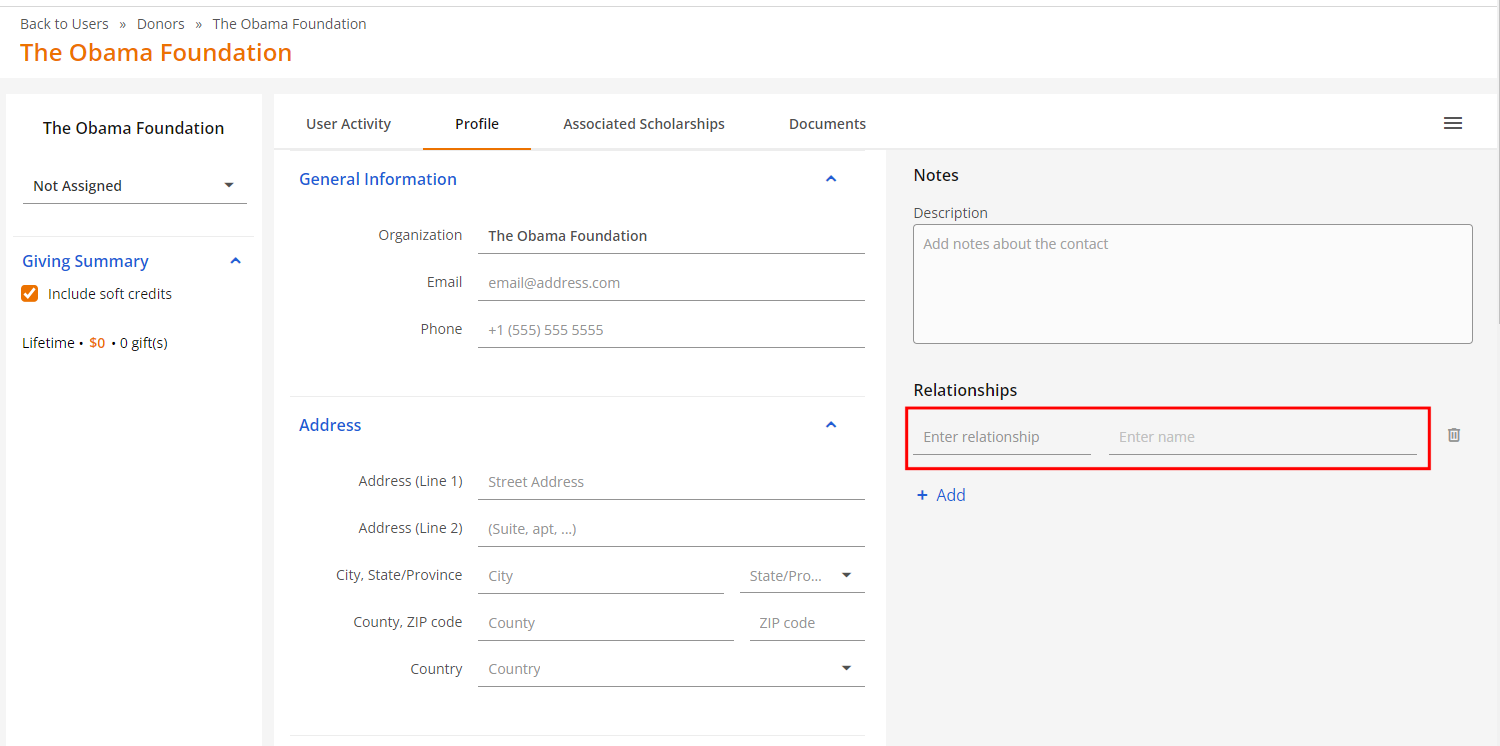
Note: you do not need to have an account created for an individual in order to track relationships. You can simply type in the name of an individual and save it.
Before saving the relationship, you'll be prompted to specify whether this relationship should be reflected under the account of the individual you're tagging (i.e. Barack Obama). This only applies if the individual has an existing account.
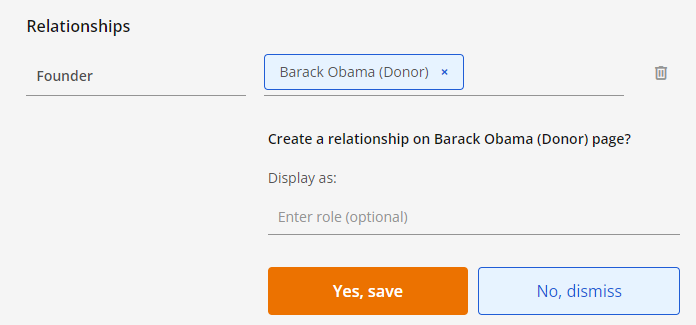
If you confirm, the relationship will be reflected in the Relationships section under that donor's account (i.e. Barack Obama). If you do not confirm, the relationship will only be visible under the organization's donor account (i.e. The Obama Foundation).
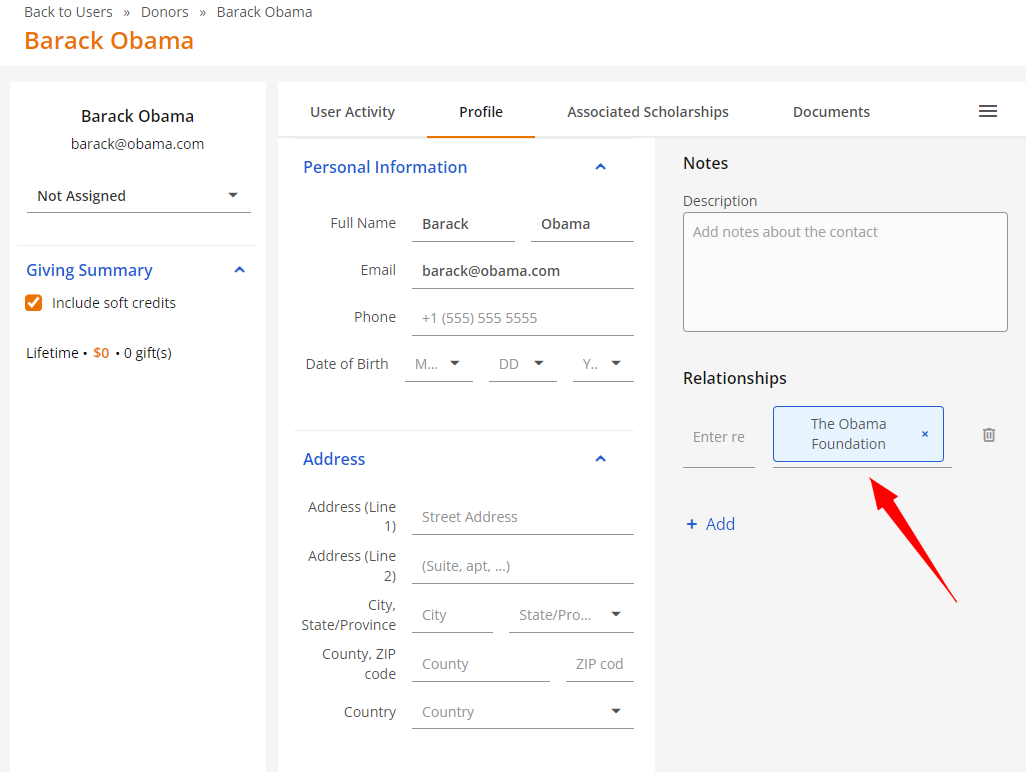
Example 2: Tracking relationships between donors and other users (includes all user types).
We can also track Barack and Michelle's relationship separately from their foundation/organization.
Under Barack's donor account, we can add Michelle as his wife. From there, we will receive a prompt asking us to specify whether this relationship should be reflected under Michelle's account as well. Confirming this action will reflect the relationship under her account, while declining it will make it visible under Barack's account only.
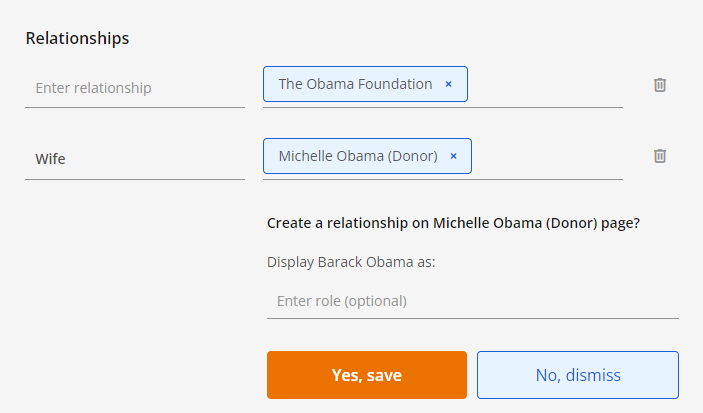
Note: You can track as many relationships under a donor account as you'd like (there is no limit).
Removing relationships
To remove a relationship, simply click on the X next to the account that is tagged.
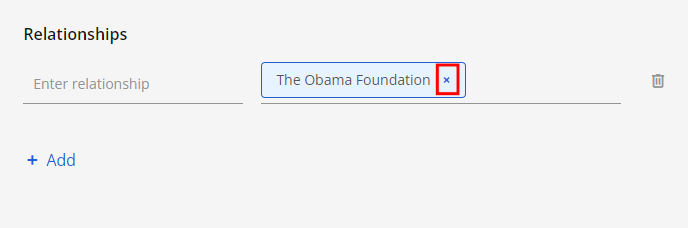
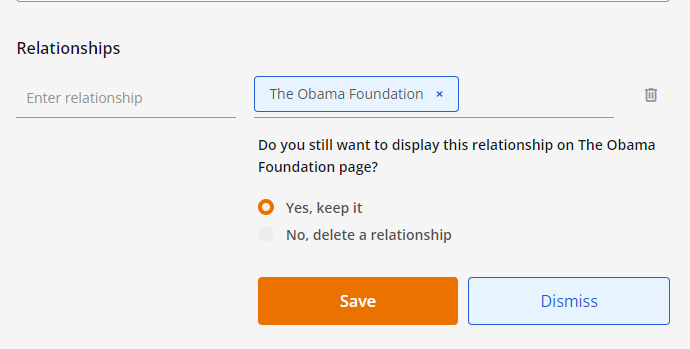
Note: If you are removing a relationship between donor accounts, you will be prompted to specify whether the relationship should also be removed from the donor account you are removing. Clicking Save will confirm your decision.