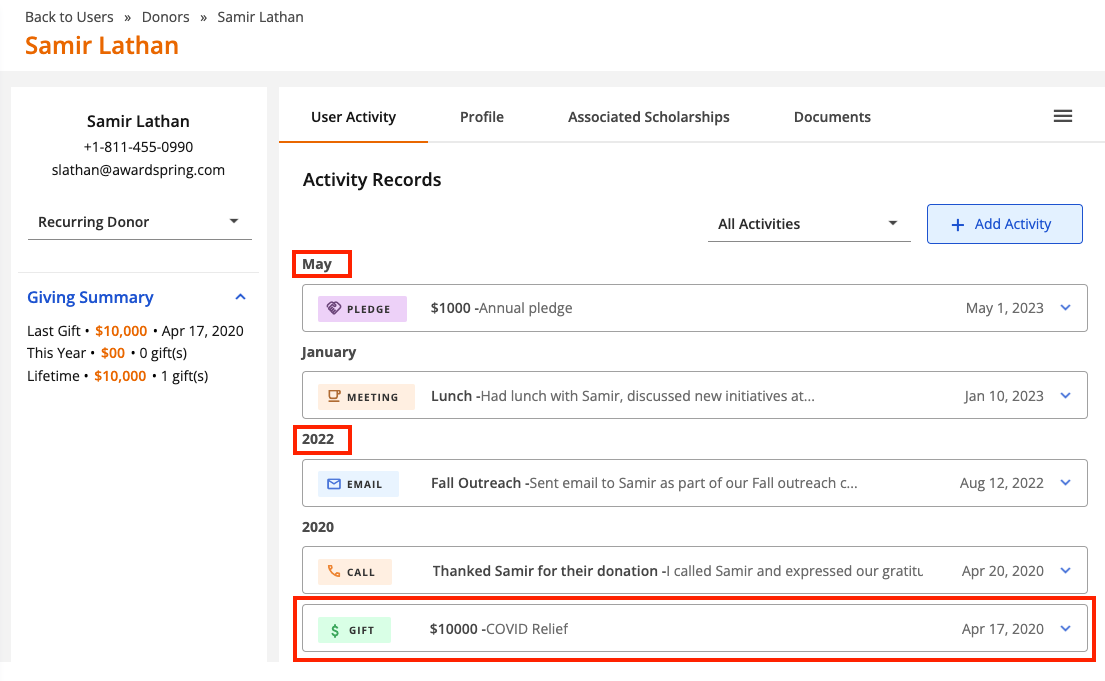
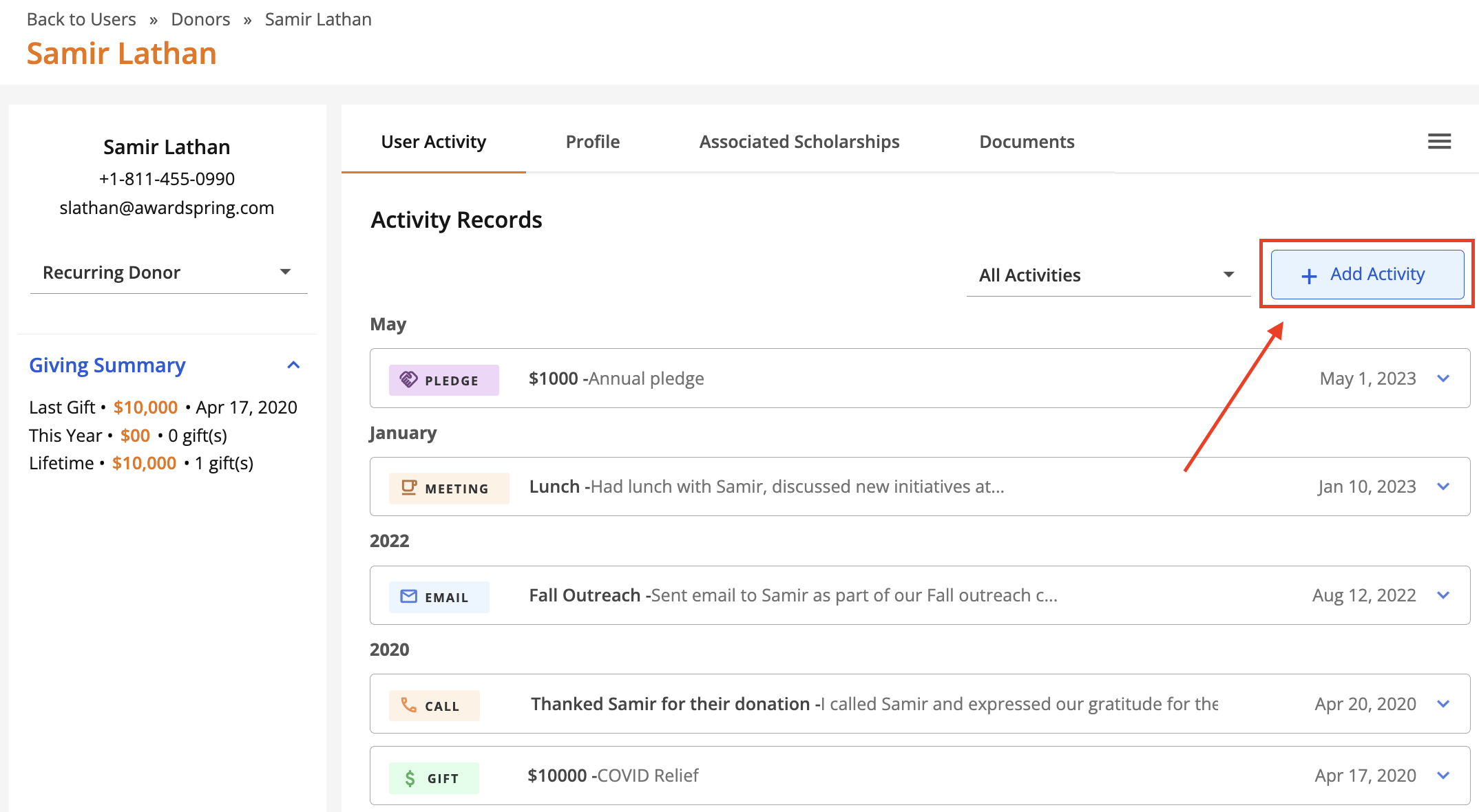
Track interactions with donors via the 'User Activity' tab on the donor profile. Supported activities include emails, phone calls, meetings, notes, pledges and gifts. Activity is displayed chronologically (by year) with the most recent activity at the top. The current year's activities are organized by month. The activity type and date are display for each activity.
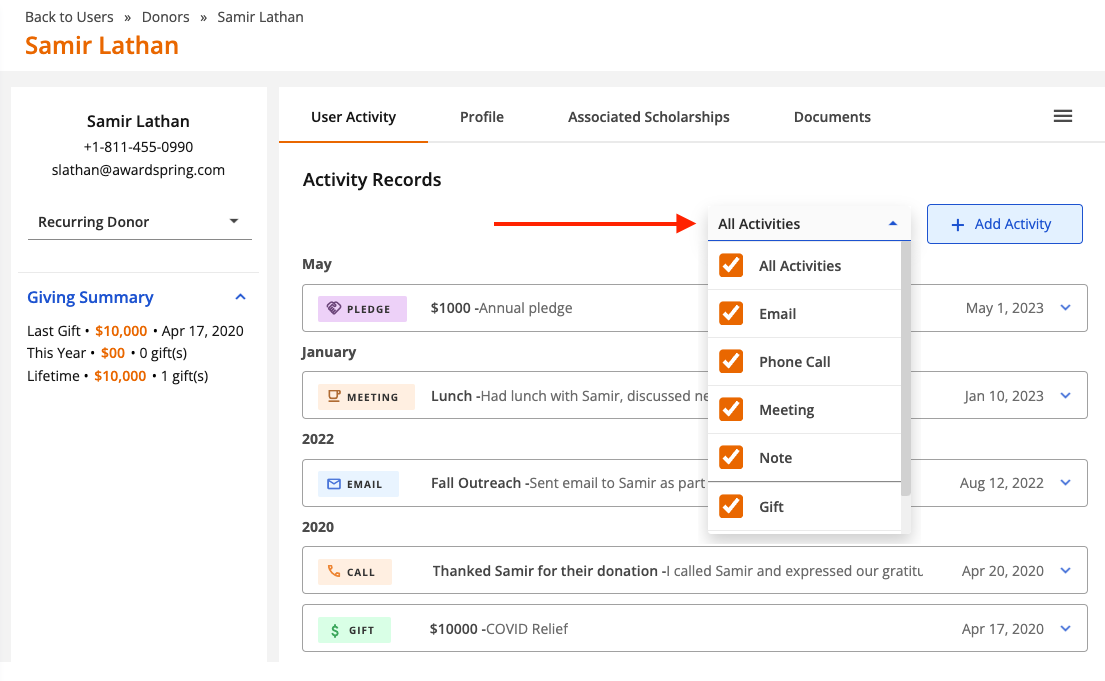
Click the dropdown menu to filter on a specific activity type.
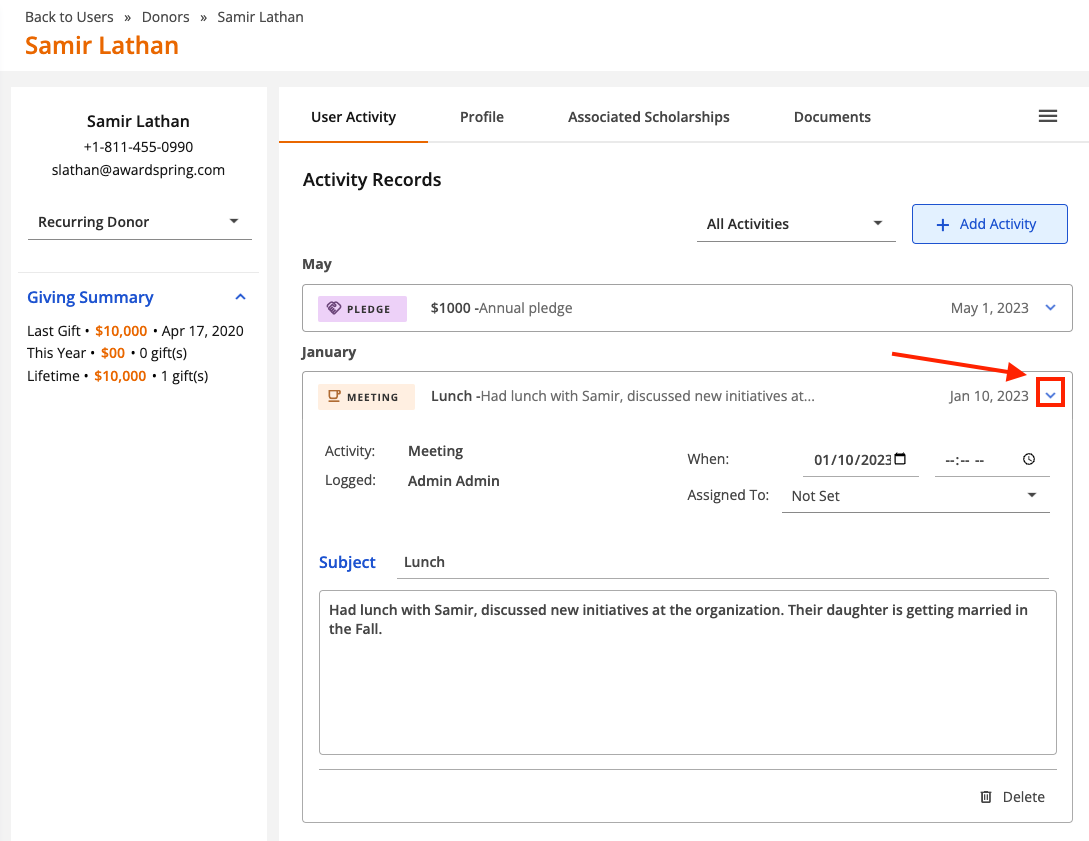
Click the arrow to view the details for an activity.
Adding an Activity
To get started, open a donor profile (via the Users tab) and click on the User Activity tab. Then click 'Add Activity'.
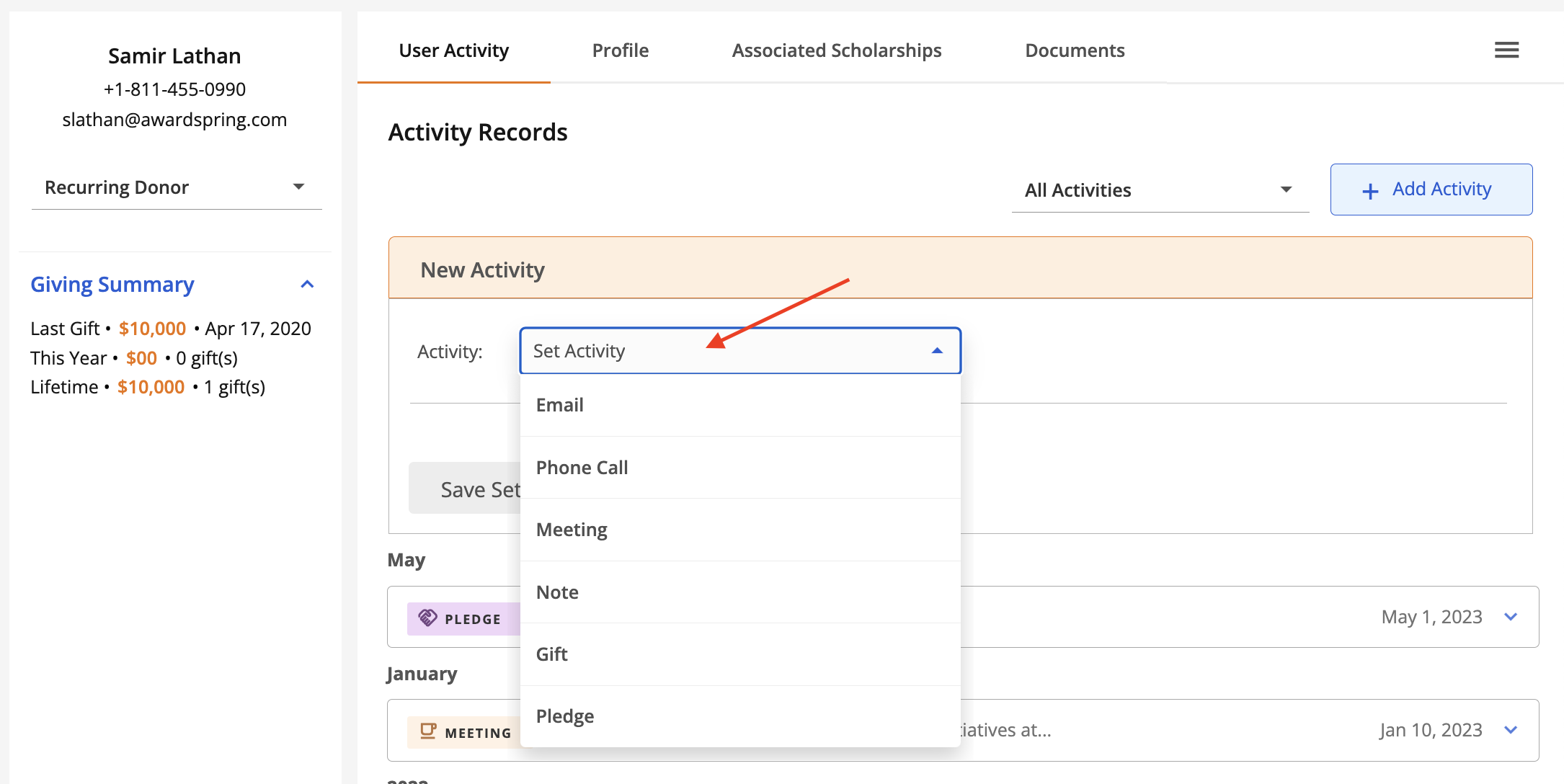
Click the 'Set Activity' dropdown to select the activity type.
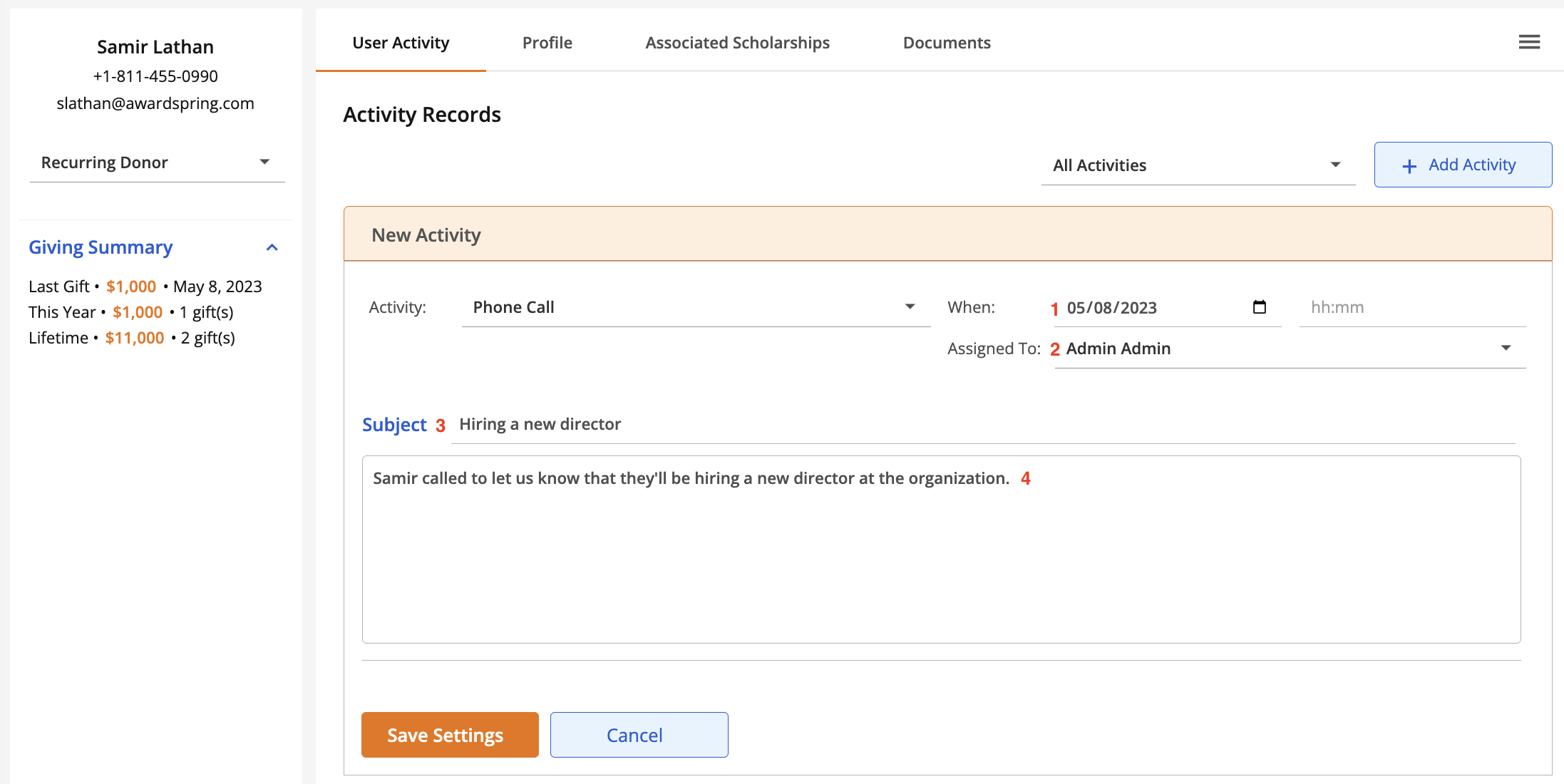
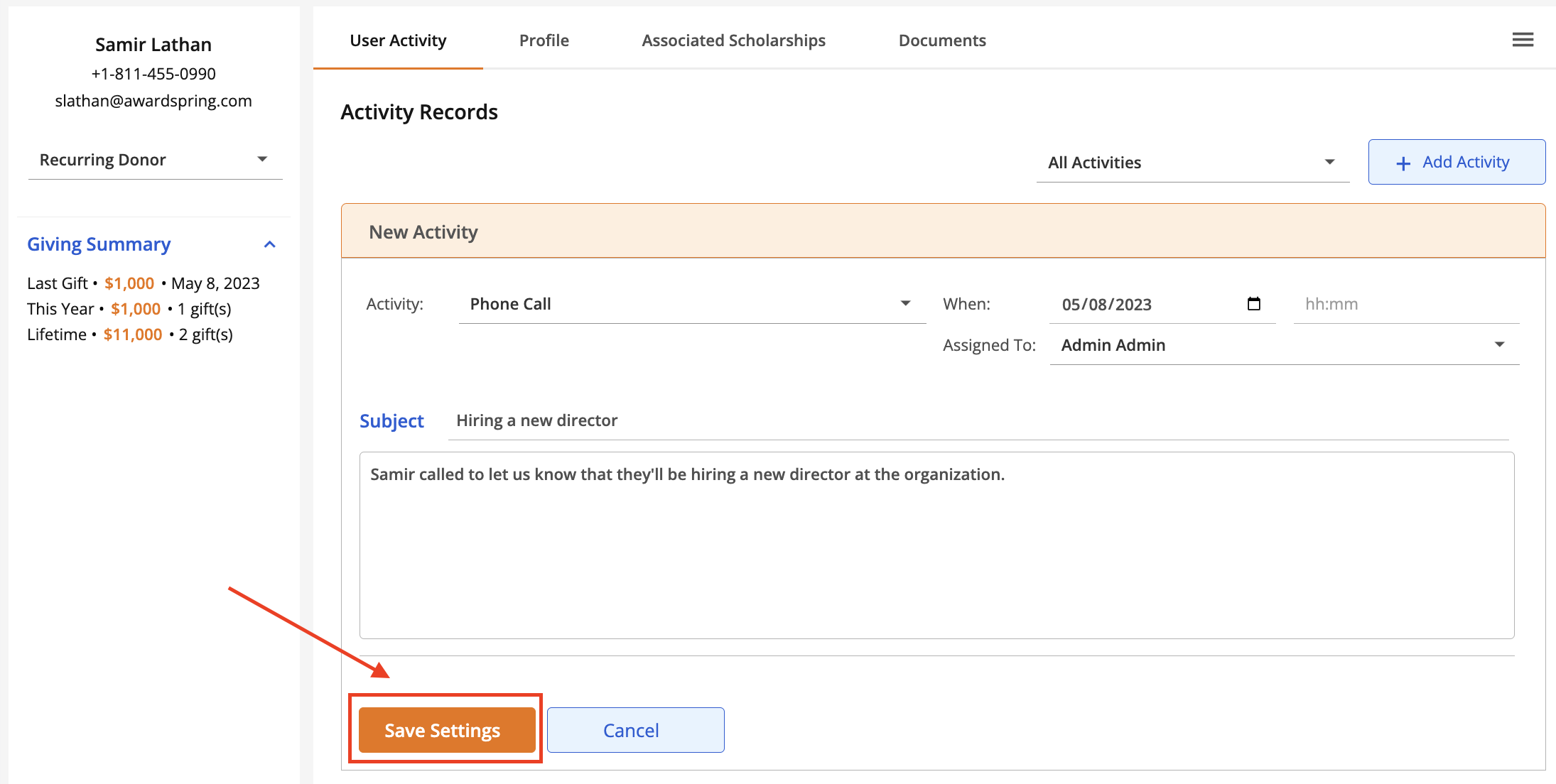
For the Email, Phone Call, Meeting and Notes activity types, the following fields are available:
- When: the date and (optionally) time that the activity occurred.
- Assigned To (optional): the activity owner. This defaults to the admin who is logging the activity but can be changed to another admin or 'Not Set'.
- Subject: the subject of the activity.
- Details: details of the activity.
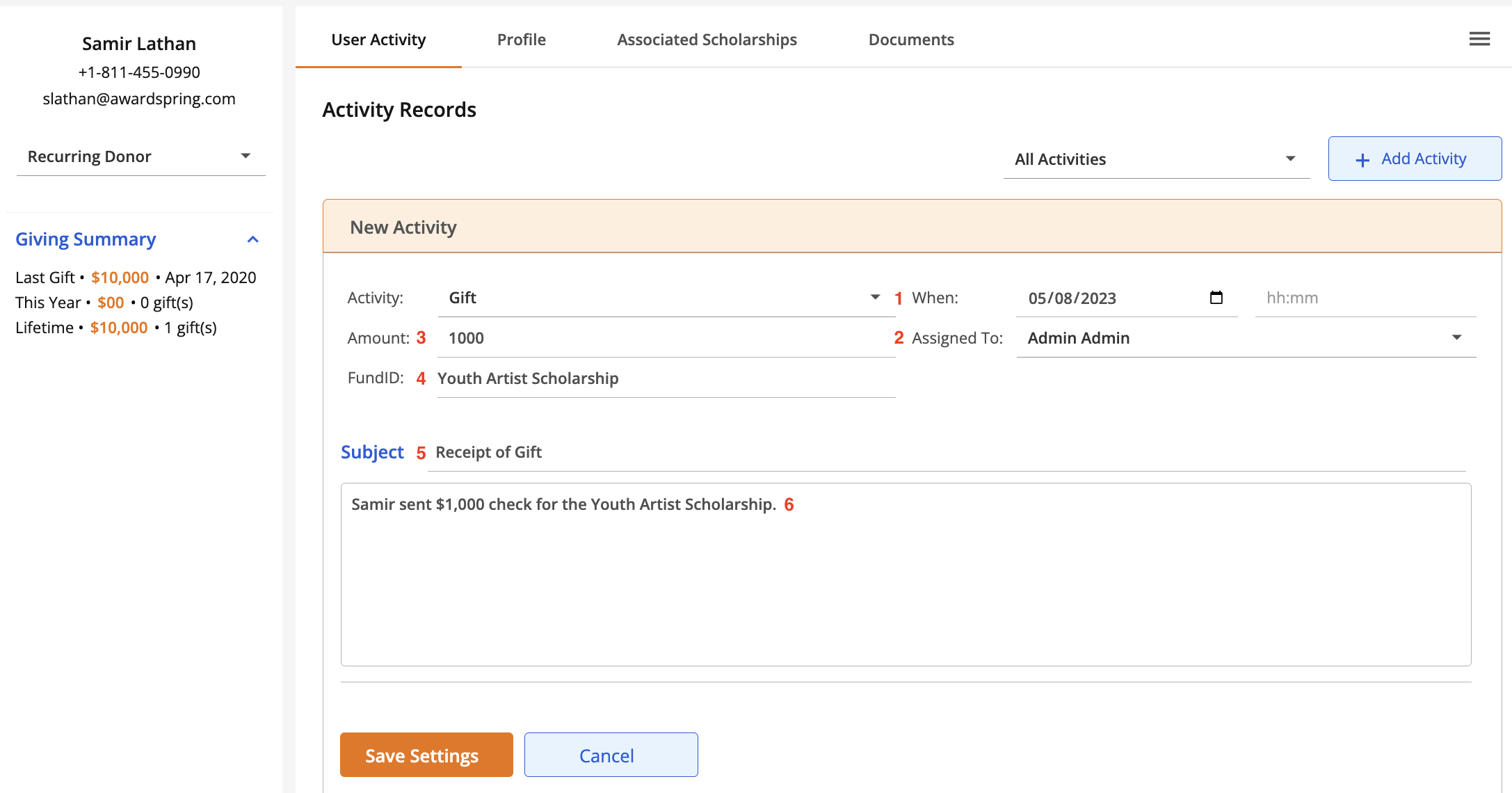
For the Gift and Pledge activity types, the following fields are available:
- When: the date and (optionally) time that the activity occurred.
- Assigned To (optional): the activity owner. This defaults to the admin who is logging the activity but can be changed to another admin or 'Not Set'.
- Amount: the amount of the pledge or gift.
- FundID (optional): the fund the pledge or gift is intended for.
- Subject: the subject of the activity.
- Details: details of the activity.
Once you've selected the activity type and filled in any applicable fields, click Save Settings.
To update or make changes to an activity, simply click the arrow to expand it and make the appropriate changes. Your changes will be saved automatically.
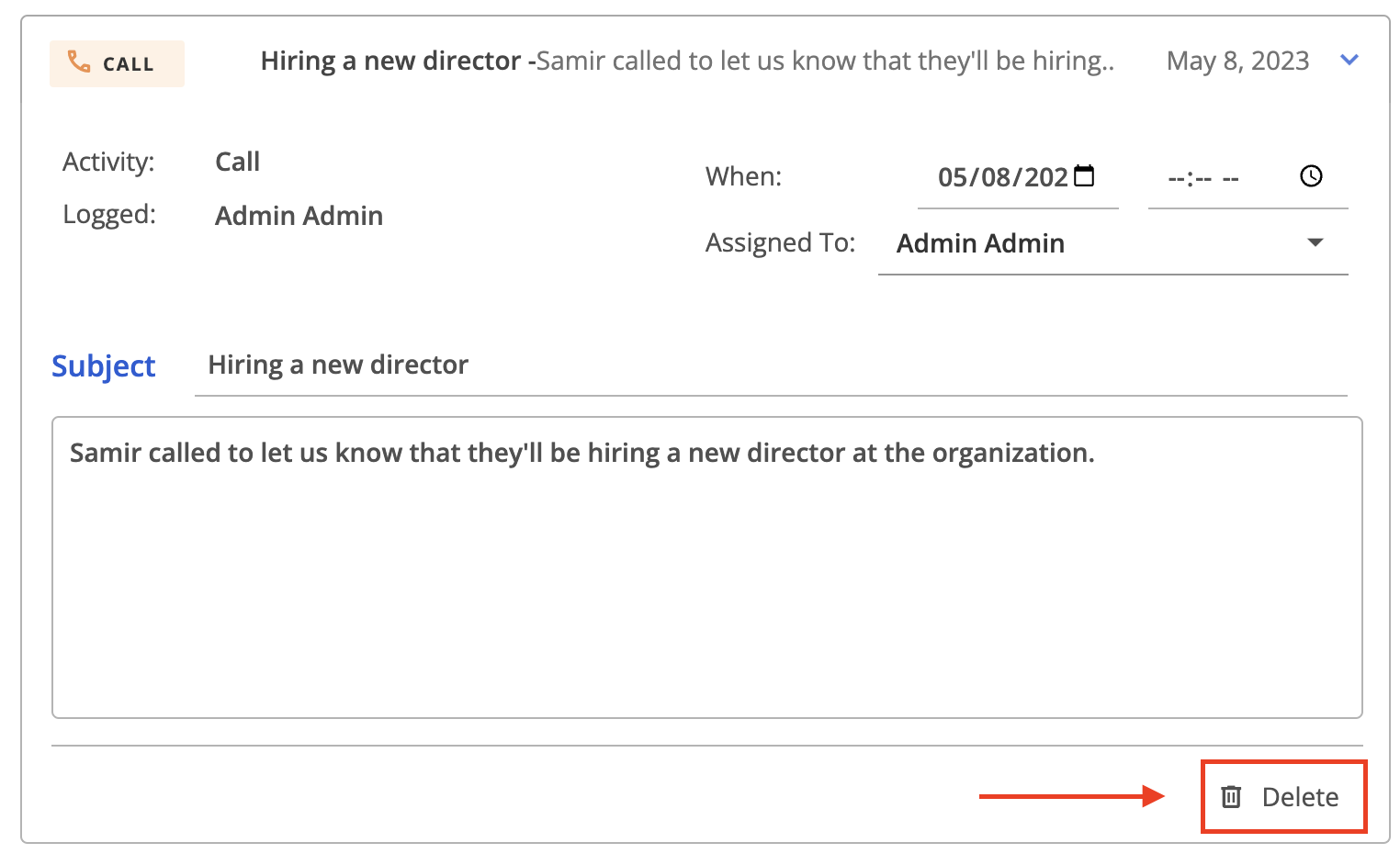
To delete an activity, click the arrow to expand it and click the Delete button.