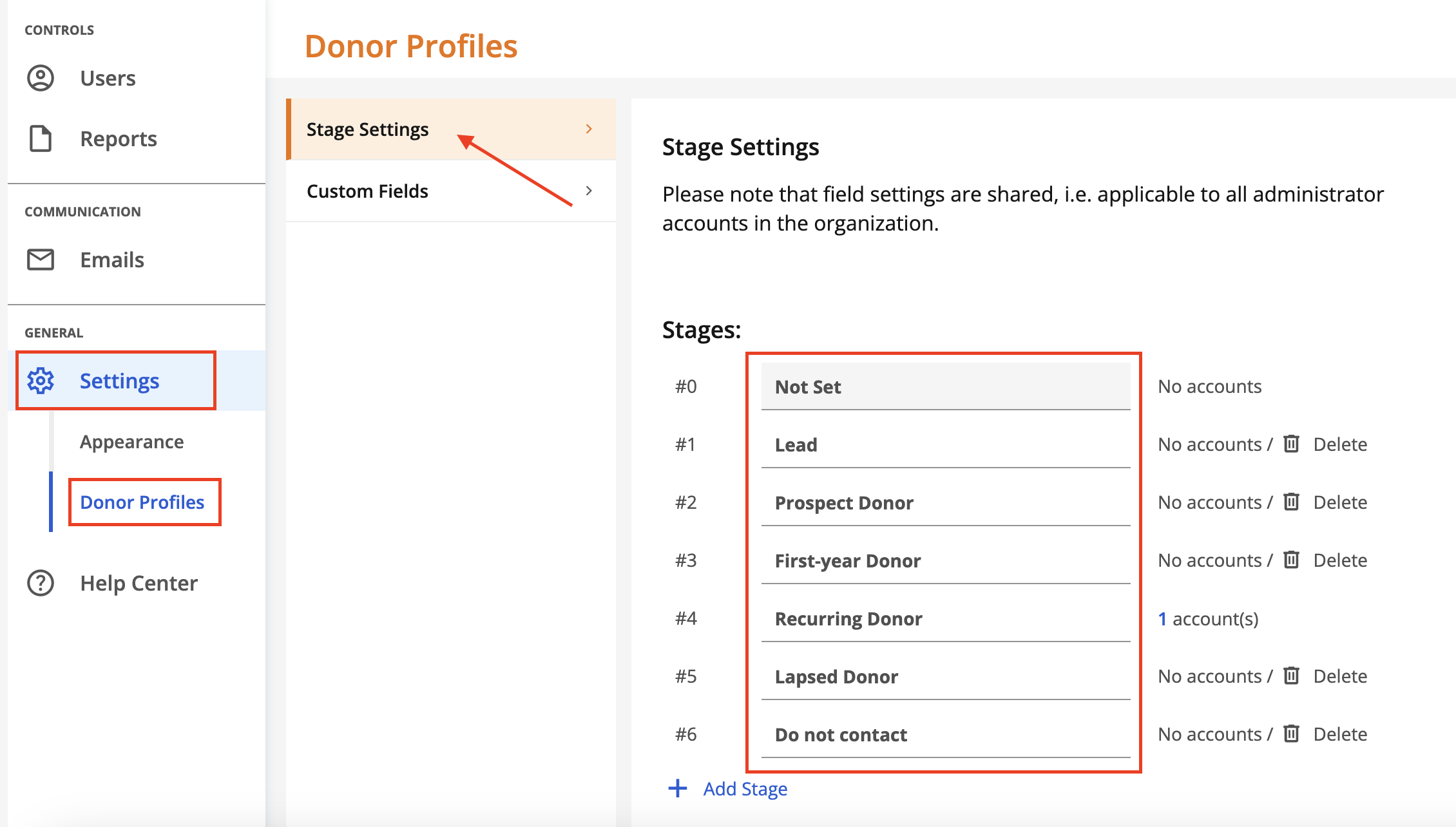
Stage settings allow you to categorize and segment donors. Click on Settings and then Donor Profiles to display the donor stage settings. There are six (6) default stage settings: Not Set, Lead, Prospect Donor, First-year Donor, Recurring Donor, Lapsed Donor and Do Not Contact.
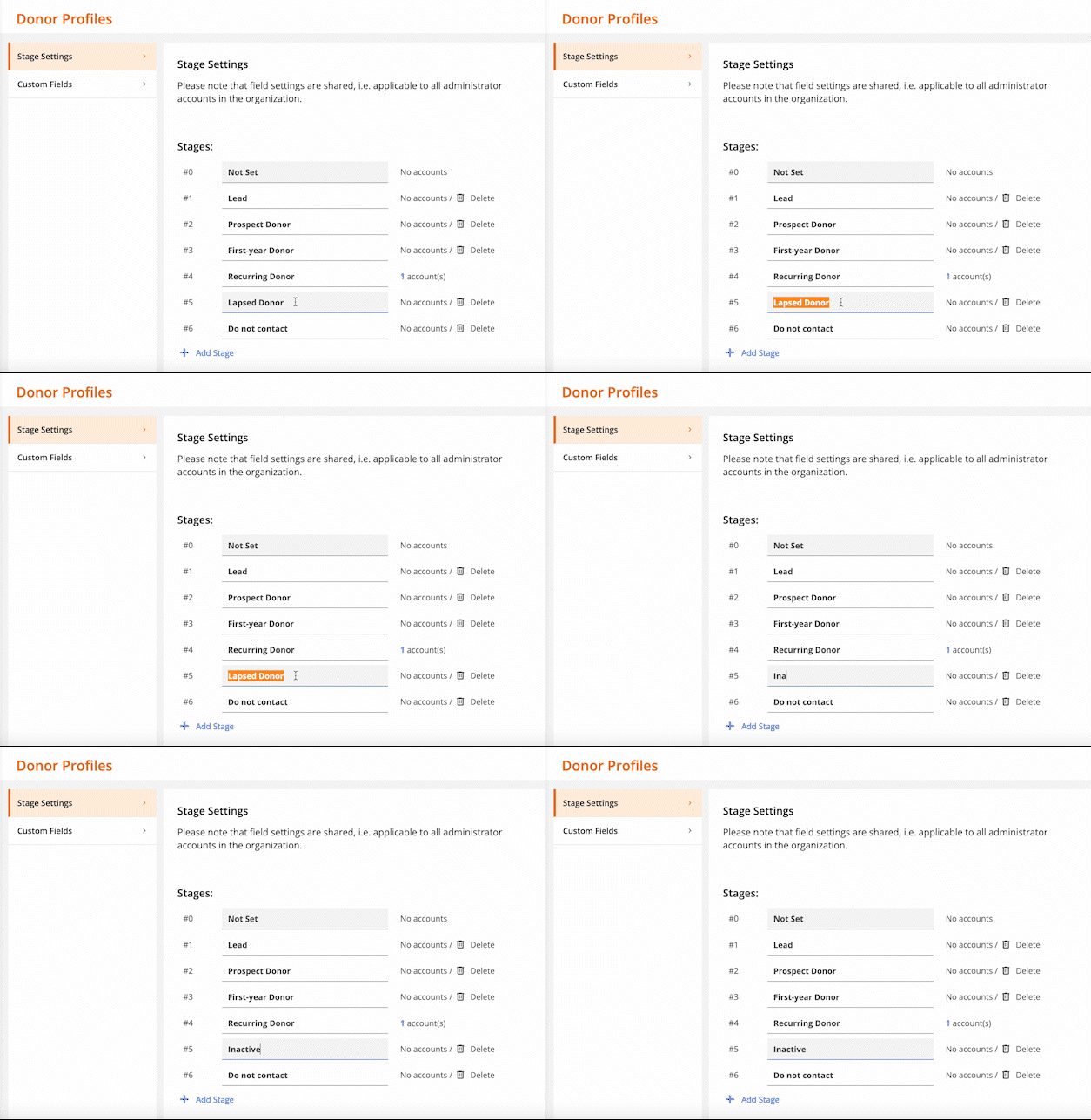
Stages can be customized simply by changing the stage name. To change the stage name, click into the box and change the name of the stage.
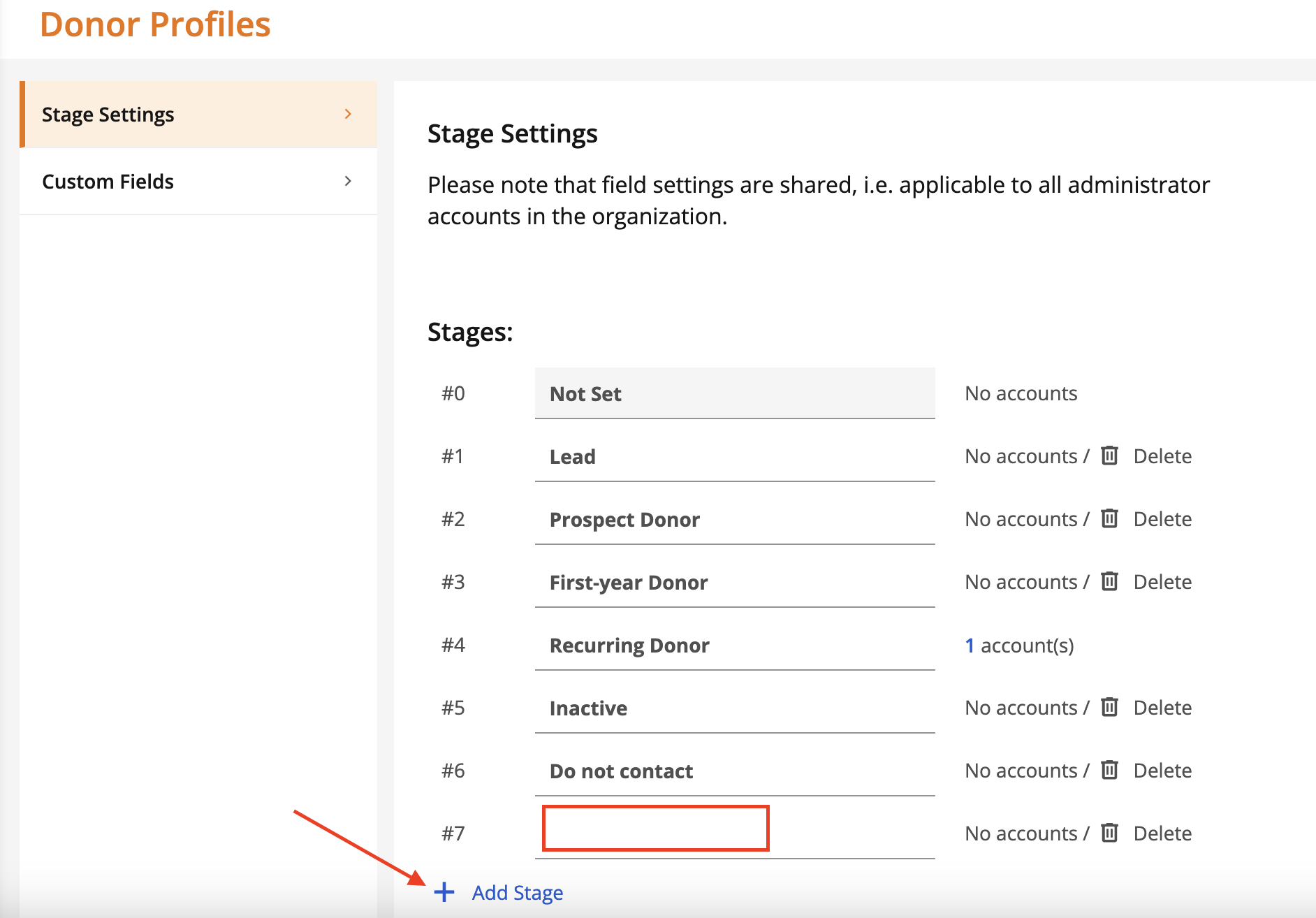
You can also add a new stage by clicking 'Add Stage'. Simply enter the new stage name in the field that appears.
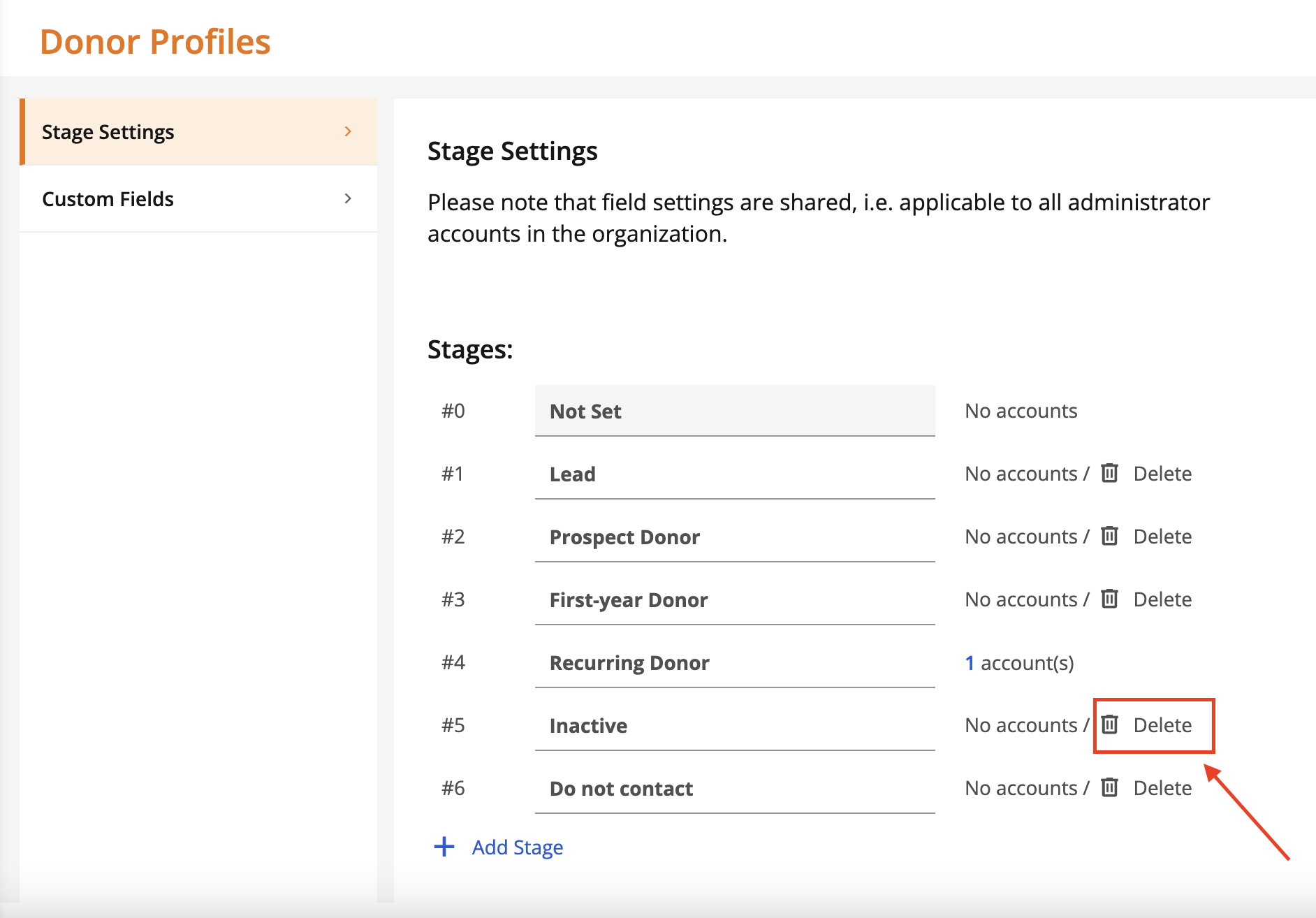
Finally, you can delete a stage by clicking Delete.
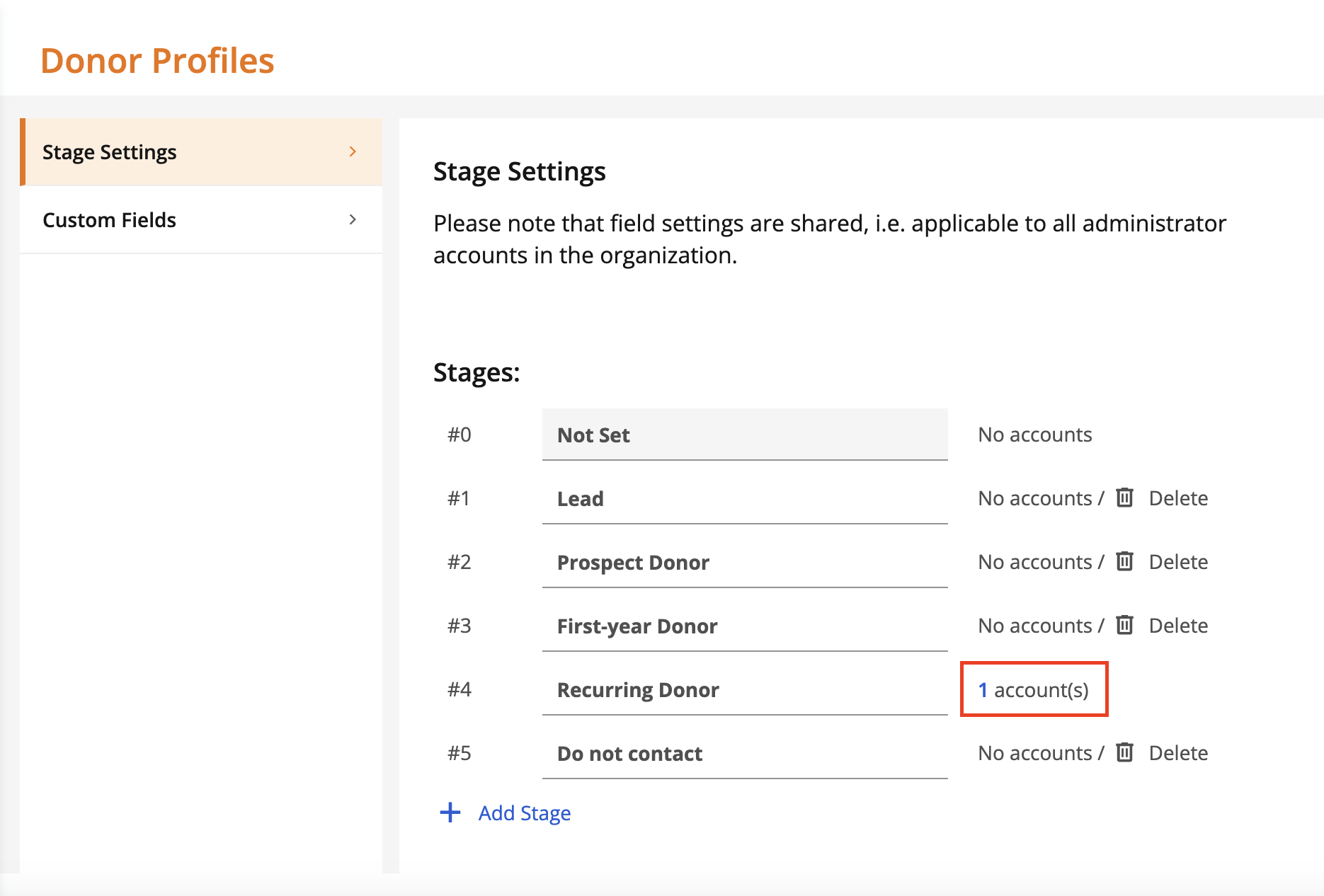
Note: after assigning donors to stages, the number of donors assigned to each stage will be displayed. You will not be able to delete a stage that has donors assigned.
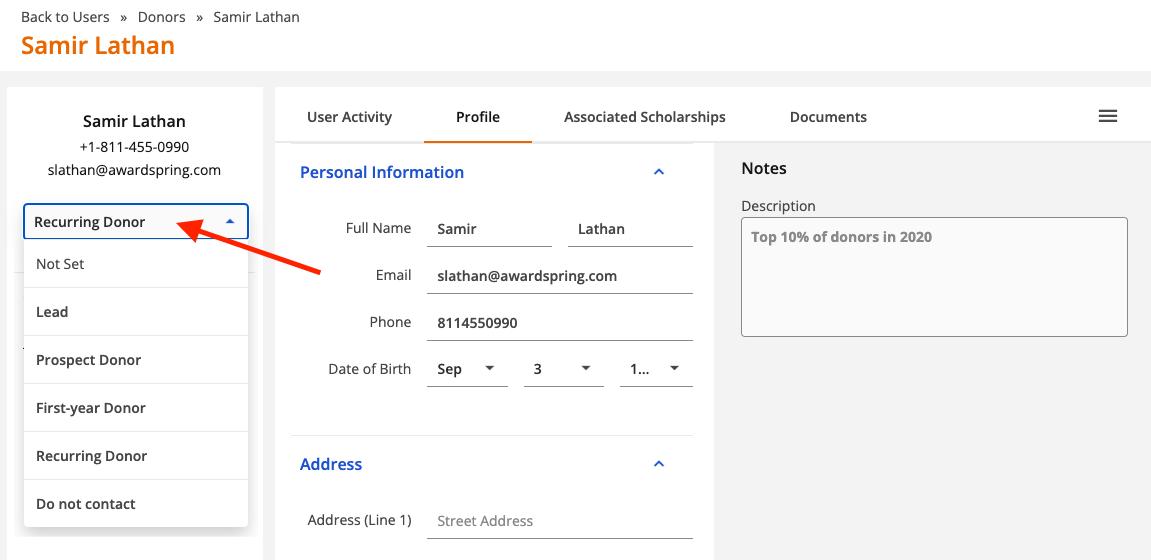
To update the stage for a donor, open the donor record (under Users), click to expand the dropdown shown below and select the appropriate stage.