
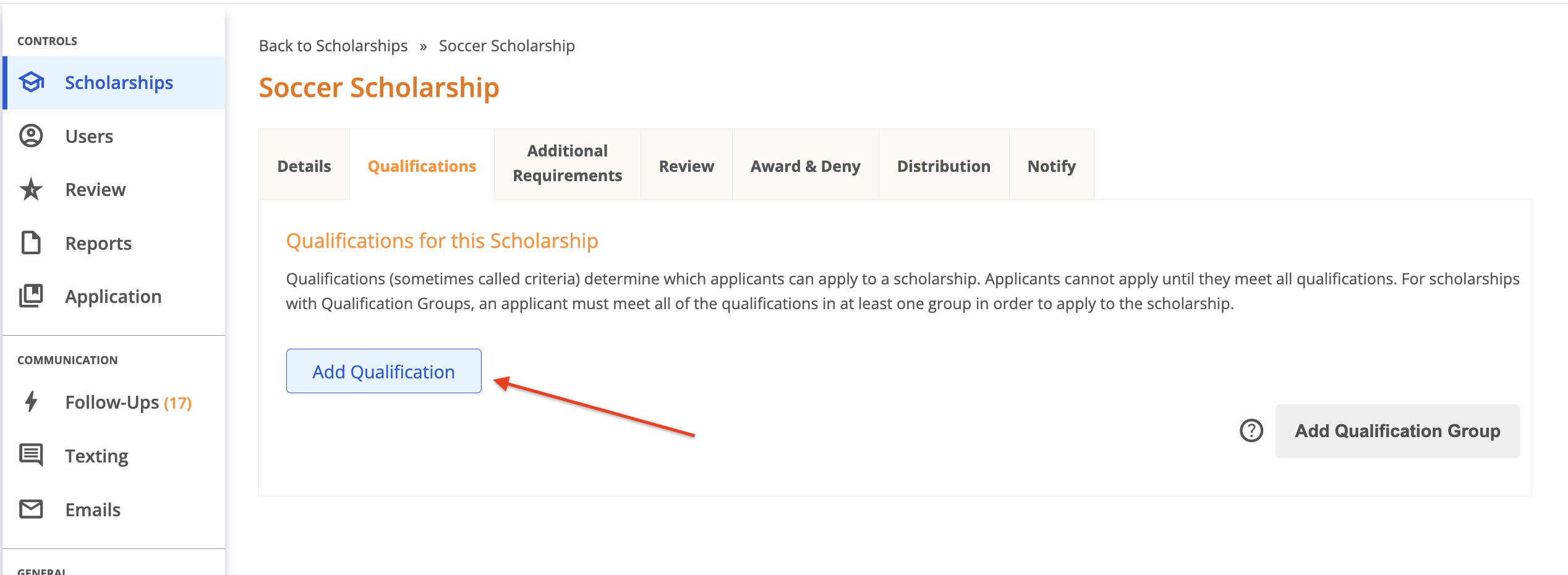
Qualifications (also referred to as scholarship eligibility requirements or criteria) are configured at the scholarship level and are used to match applicants to scholarships for which they’re eligible. Qualifications can be re-used an unlimited number of times across any number of scholarships. To configure Qualifications in your AwardSpring site, simply open the scholarship you’re working on and click on the Qualifications tab. Start by clicking ‘Add Qualification’.
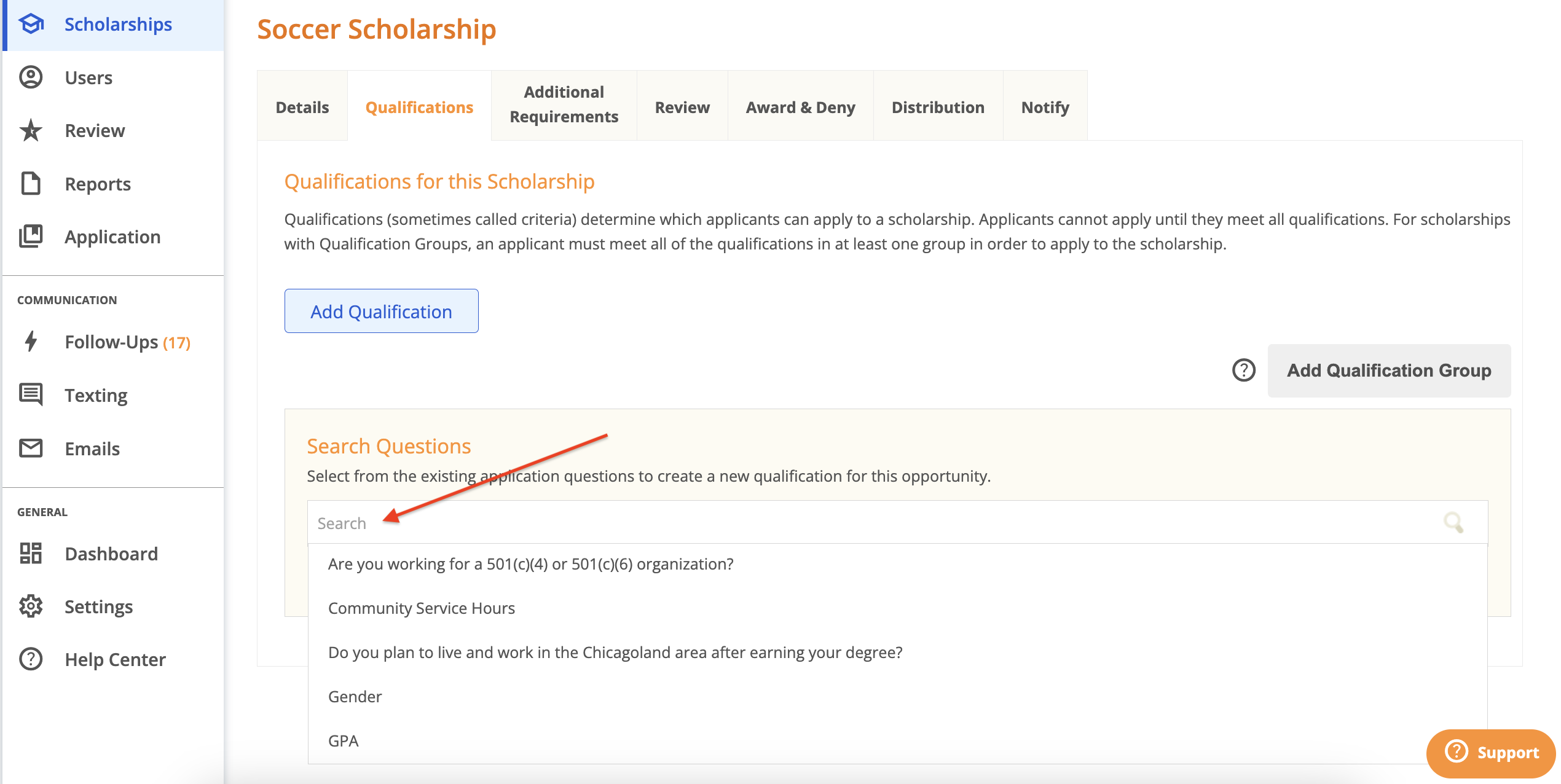
Next, you’ll need to decide which qualifying question is best suited to meet the needs of your scholarship requirements. Click the search box to view and select from the list of existing questions on your application.
What types of questions are displayed in this list?
Single answer, multiple answer and numeric questions from your application are included in this list. Qualifications can be configured using any of the questions in this list. Below are examples of how qualifications can be configured using each question type.
Note: if you need to create a new question, navigate to the Application tab, create the question and then return to this page.
Configuring a qualification using a single or multiple answer question allows you to set one or more qualifying answers.
Example 1
- Qualification – Applicant must be a single parent.
- Question – Are you a single parent?
- Answer – must be ‘Yes’
Example 2
- Qualification - Applicant must participate in at least one of the following clubs: Jazz Club, French Club, Golf Club, Book Club.
- Question – Do you participate in any of the following clubs?
- Answer – can be any of the specified clubs
Configuring a qualification using a numeric question allows you to set a numeric value as the qualifying answer.
- Qualification – The Study Abroad Scholarship requires that applicants have at least 60 earned college credits.
- Question – How many college credits have you earned? (OR Earned Credits)
- Answer – must be at least 60