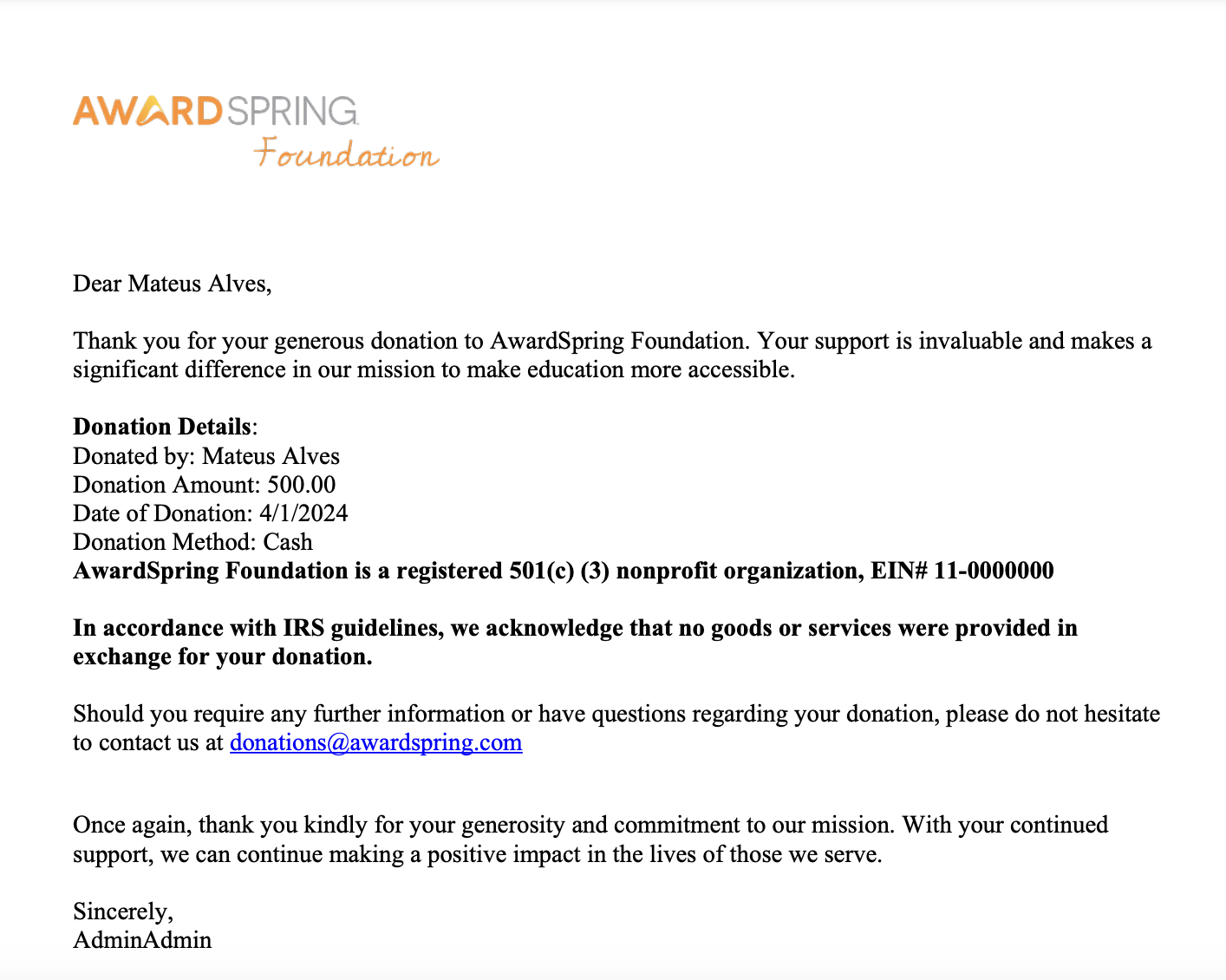
Generate gift receipts to formally recognize the generosity of your donors or to meet tax deductibility requirements. Providing a receipt is a gesture of appreciation and gratitude towards your donors. A formal receipt also serves as proof of a donor's charitable contribution and is essential for donors to benefit from the tax-deductible status of their donation.
Receipt Templates
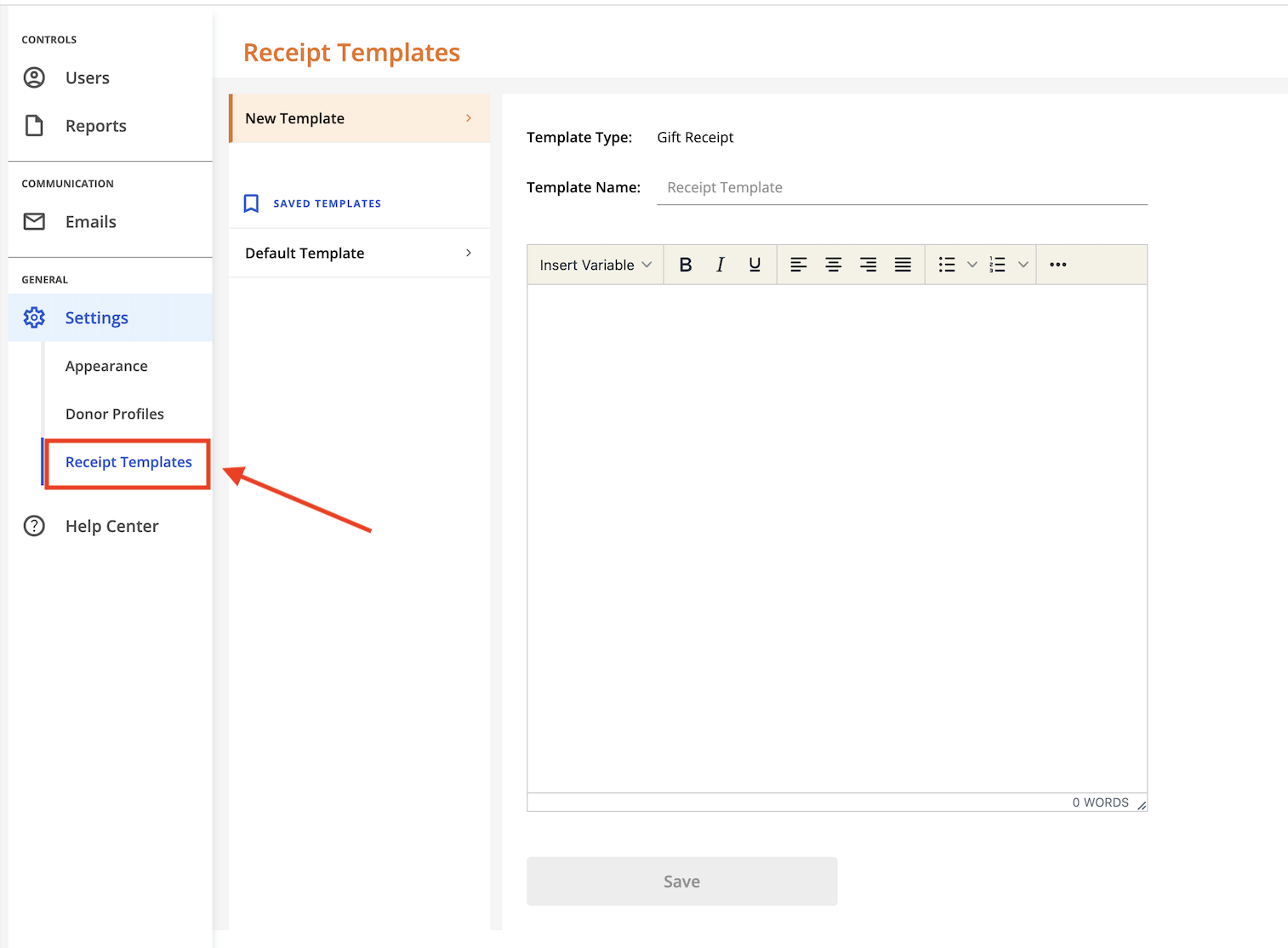
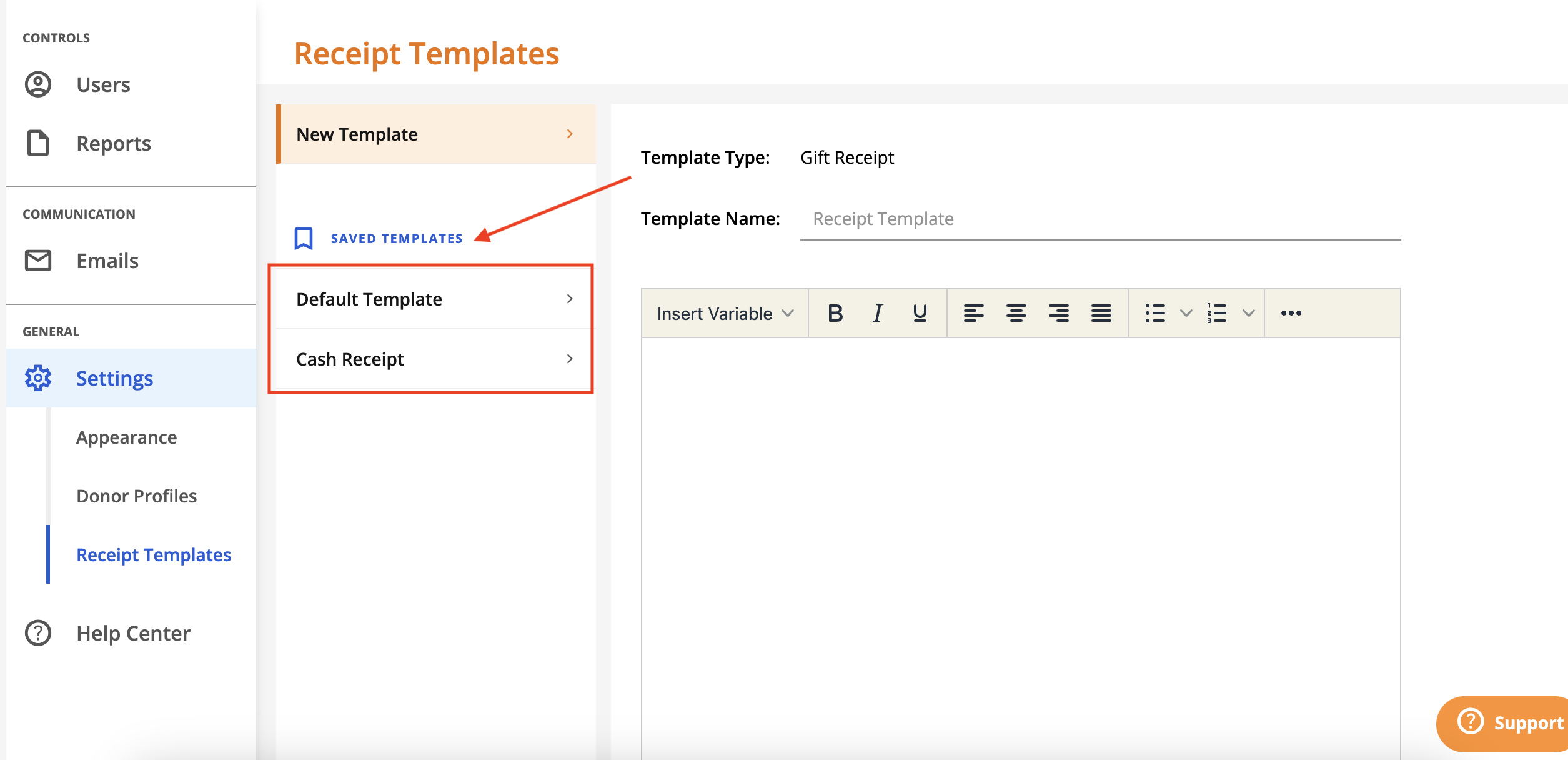
Create a receipt template to get started. Click Settings and then Receipt Templates.
A default template is available for you to customize. Click on 'Default Template' to bring up the details.
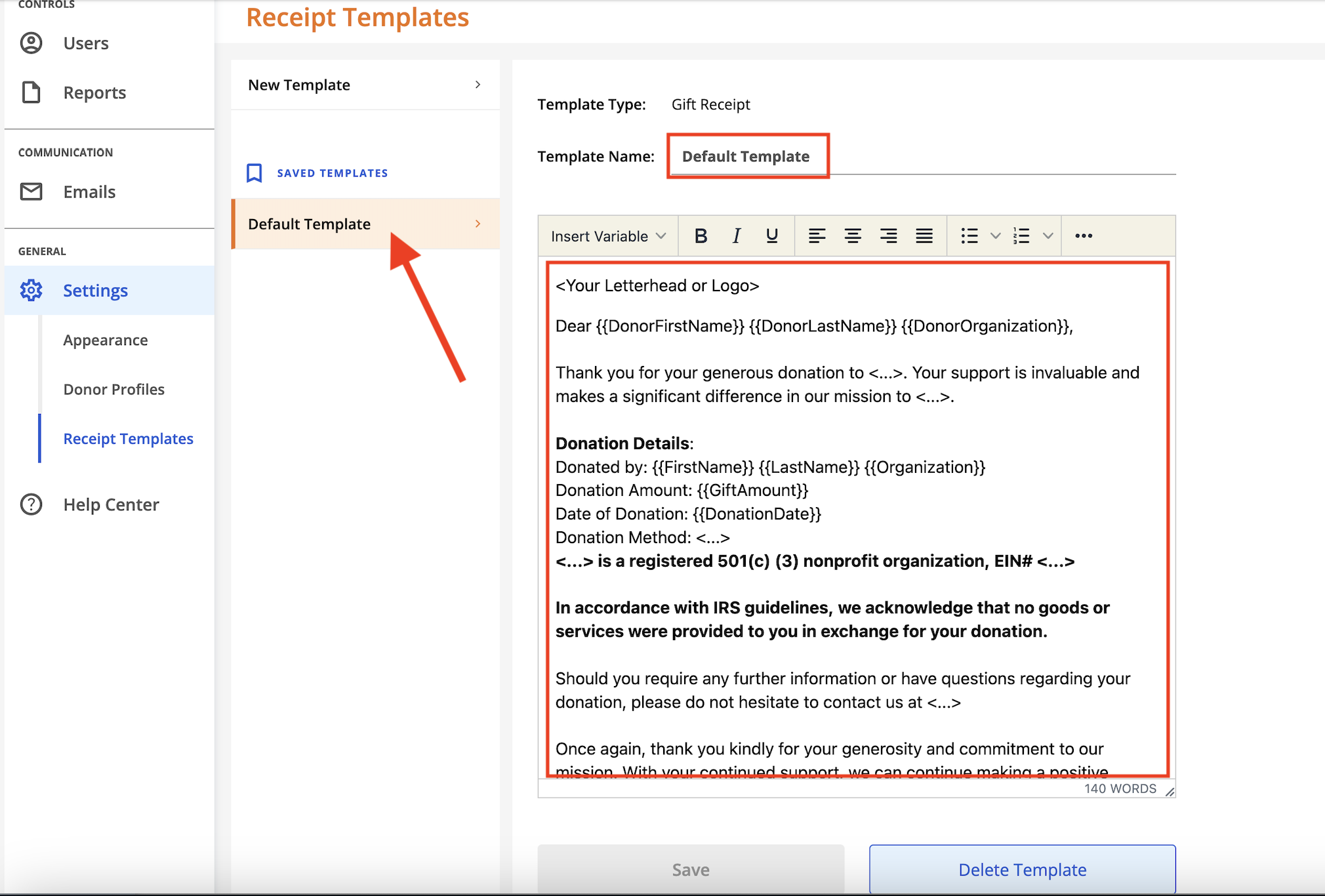
Edit the template name, if desired.
In the body of the template, use the formatting bar and variables to further customize your gift receipts. When a gift receipt is generated, the receipt will include custom information based on the variables used in your template. You'll find 3 different categories of variables to utilize in the template, allowing full customization.
Once your template is customized, click 'Save' to save your changes.
To create a new template, click 'New Template'. Proceed to enter a name for your template.
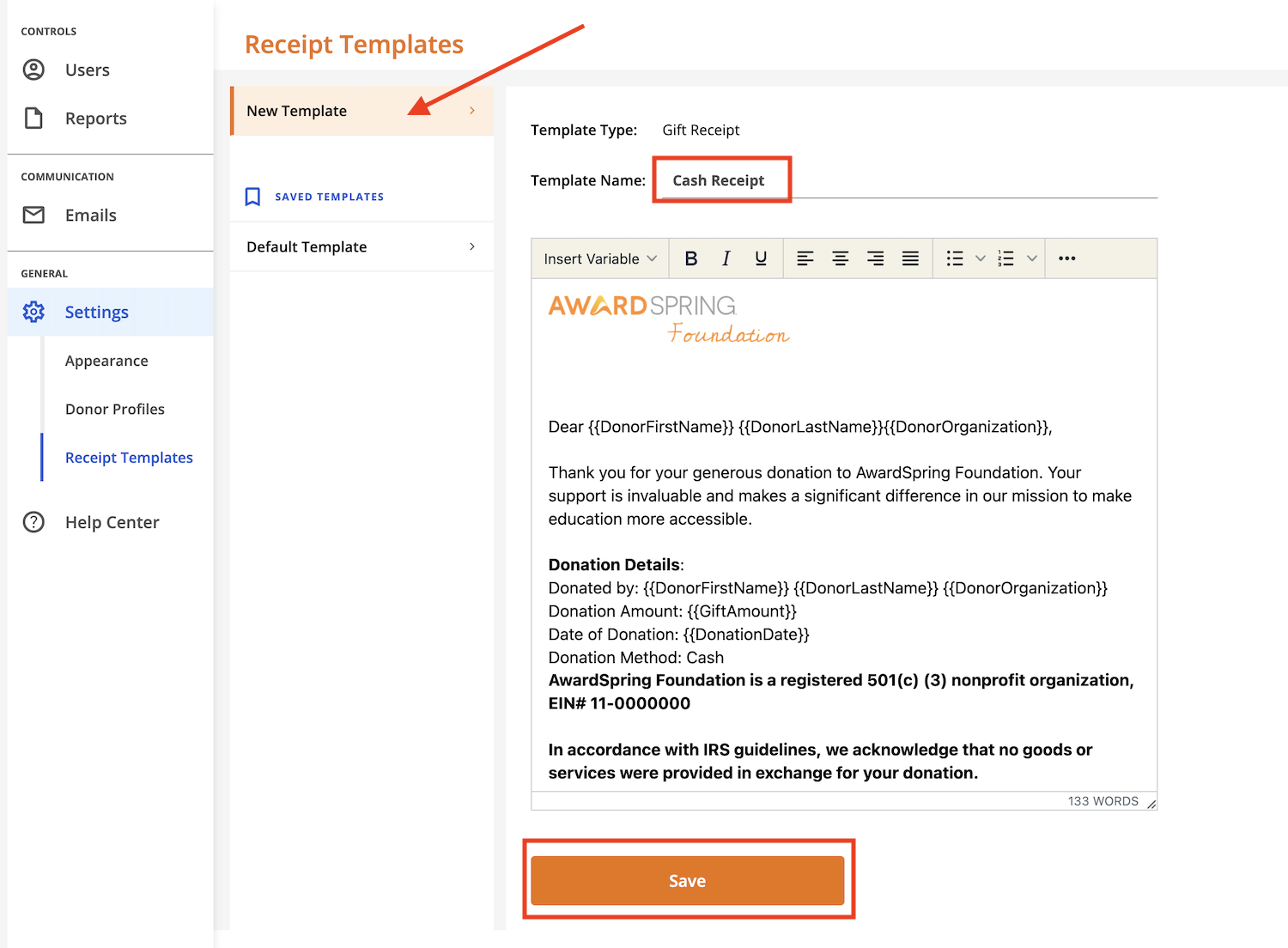
Customize the body of the template and then click 'Save'.
Access your saved templates in the Saved Templates section.
Generating a Gift Receipt
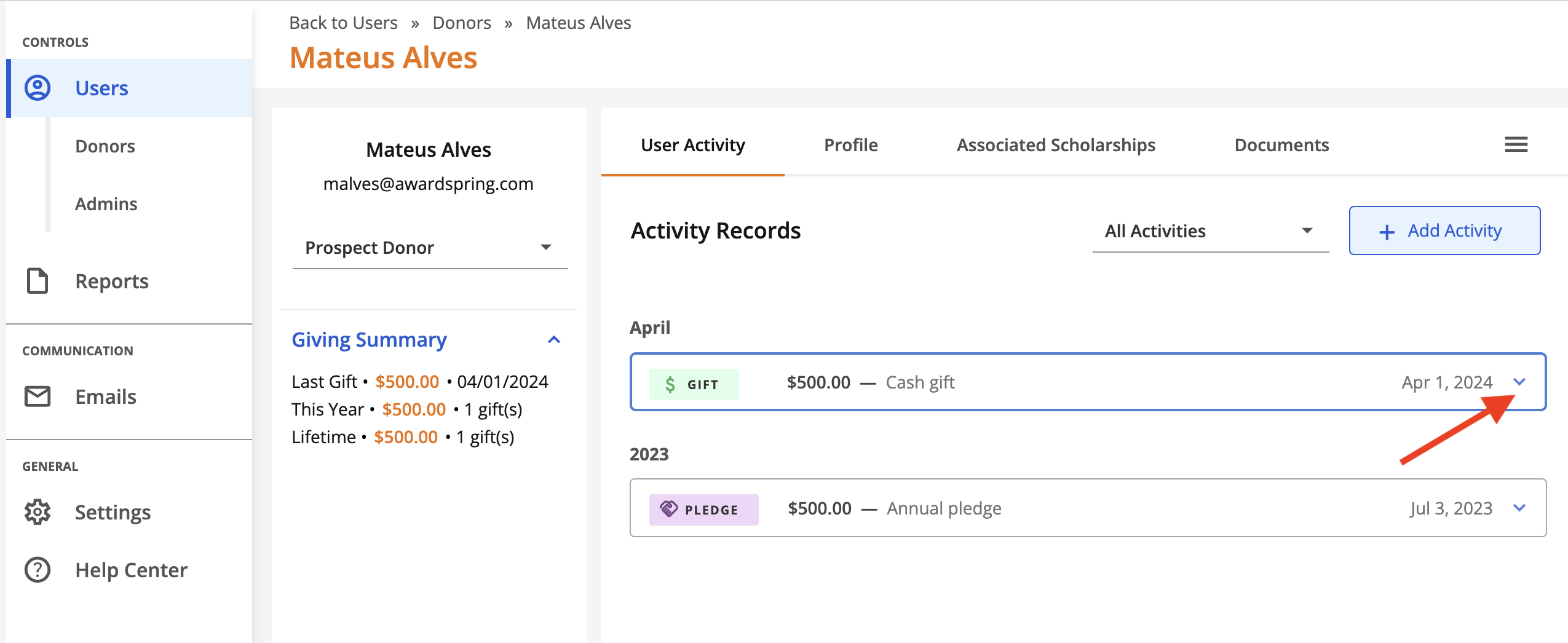
To generate a gift receipt, navigate to the User Activity tab of a donor record. Locate the gift and click to expand the gift details.
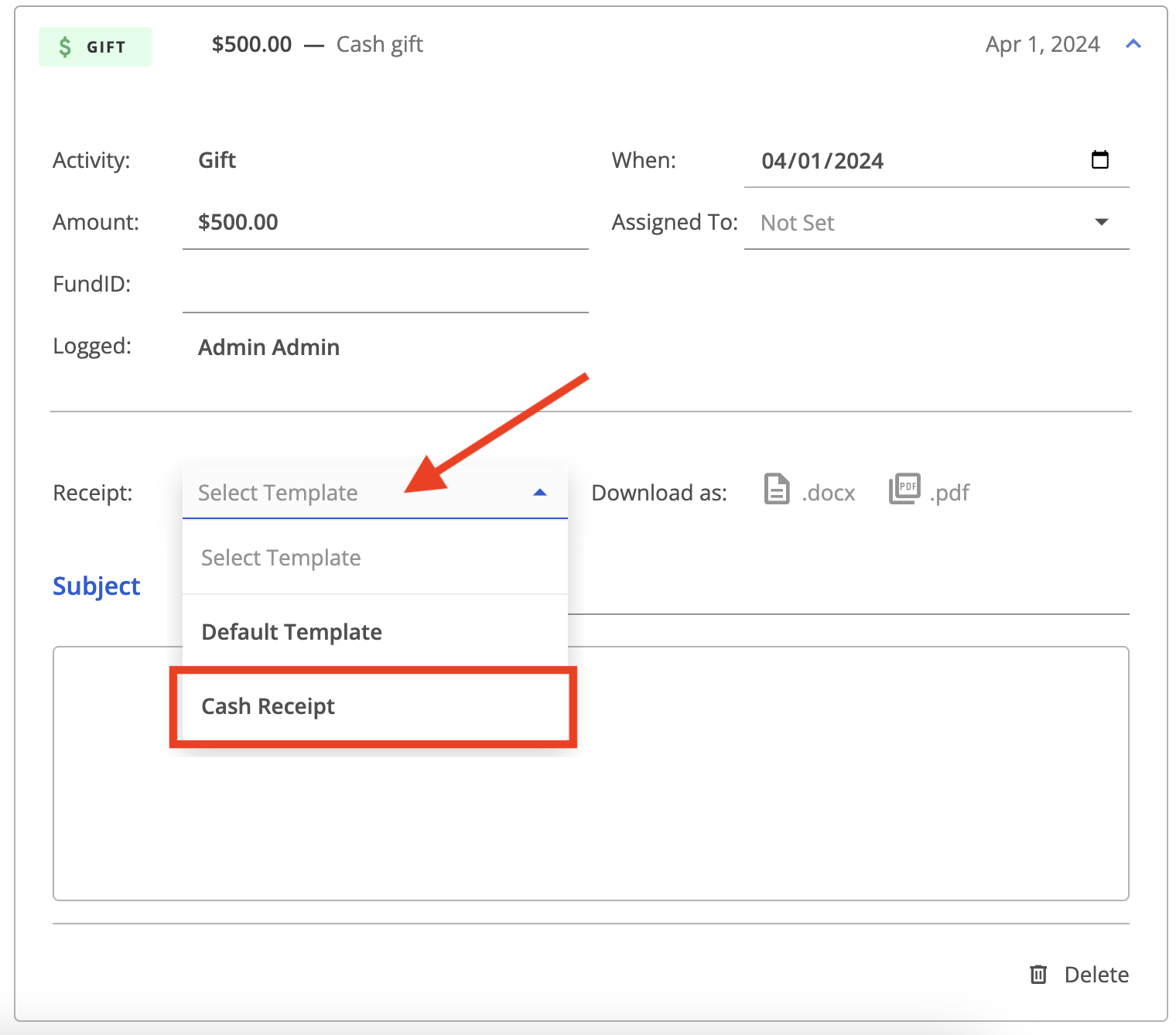
Select the receipt template from the dropdown menu.
You're now ready to download the gift receipt. Choose from the .docx and .pdf file types.
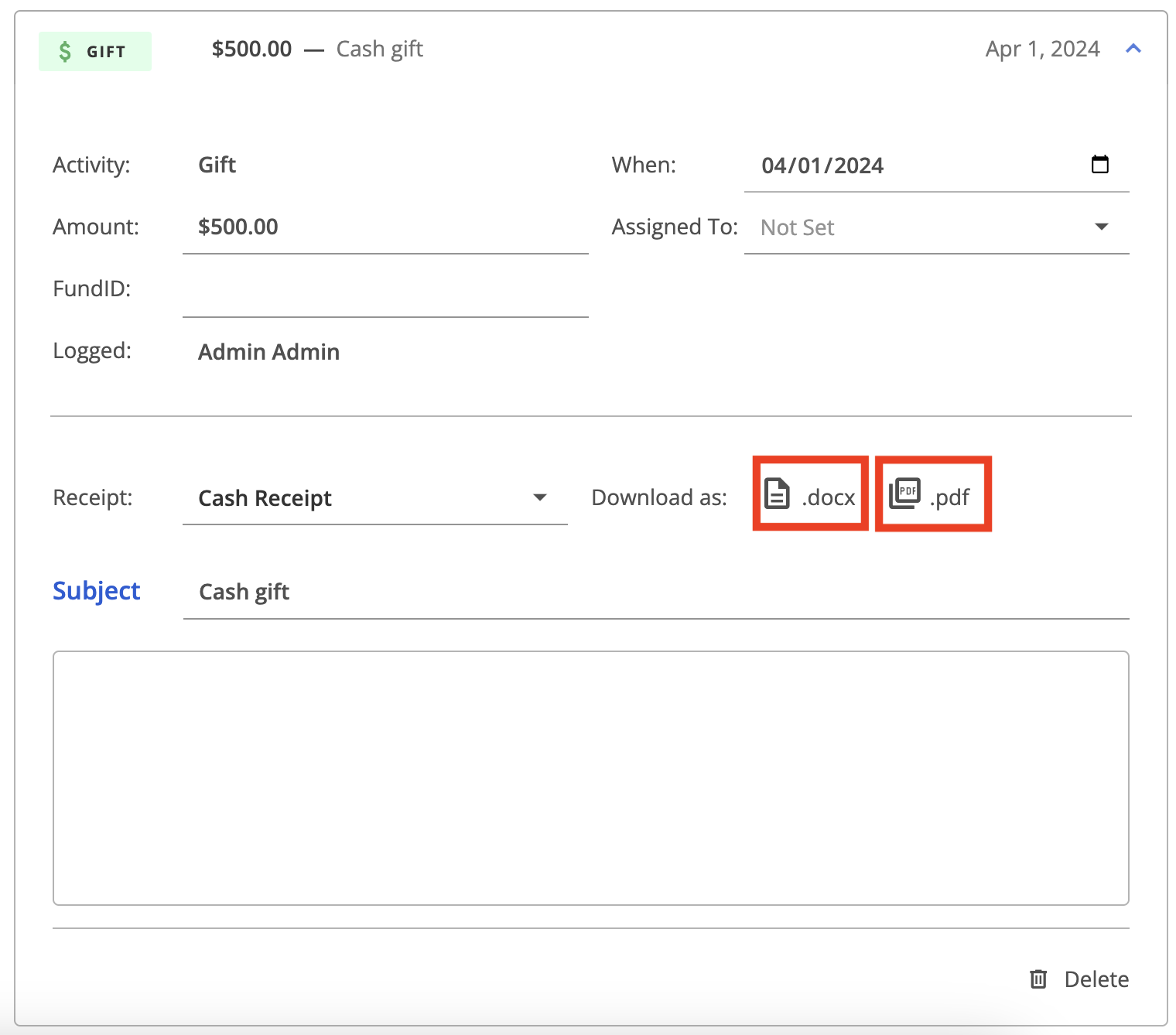
You'll then be prompted to save the file locally.
Below is an example of a gift receipt in the .pdf format.