
Dashboard Structure
The student dashboard is designed to inform applicants about the current cycle stage and guide them in completing the most important tasks.
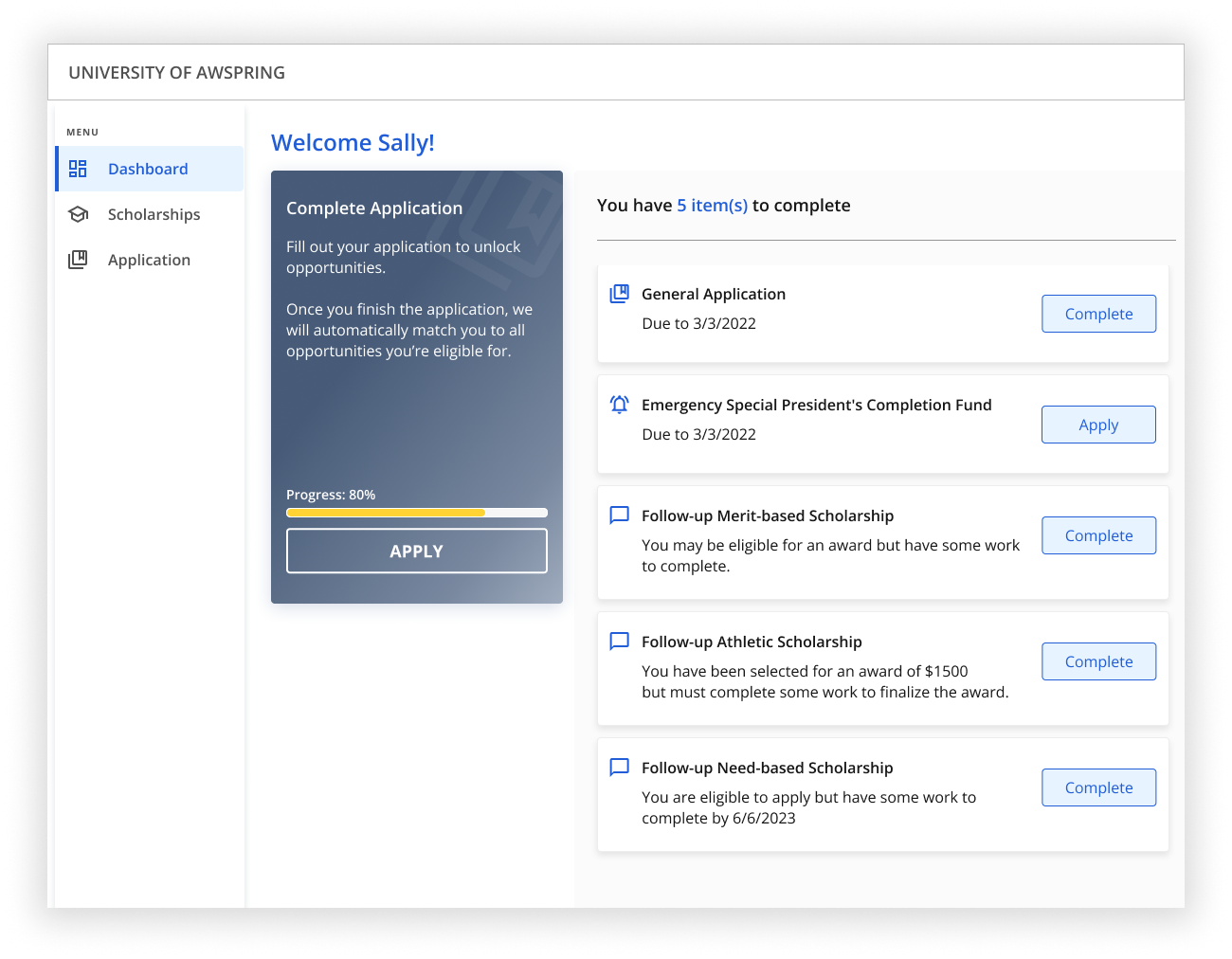
The dashboard consists of two key areas of information: the banner and the to-do list.
- The banner provides a general understanding of the award cycle stage and guides students on the next step to take.
- The to-do list displays higher-priority tasks at the top, ensuring students focus on completing the most important ones first.
Banner states
Below is an overview of the different states that the dashboard's banner can be in, depending on the award cycle phase and the completeness of a student's application.
Stay tuned!: this state indicates that the cycle is closed and applicants cannot currently apply. 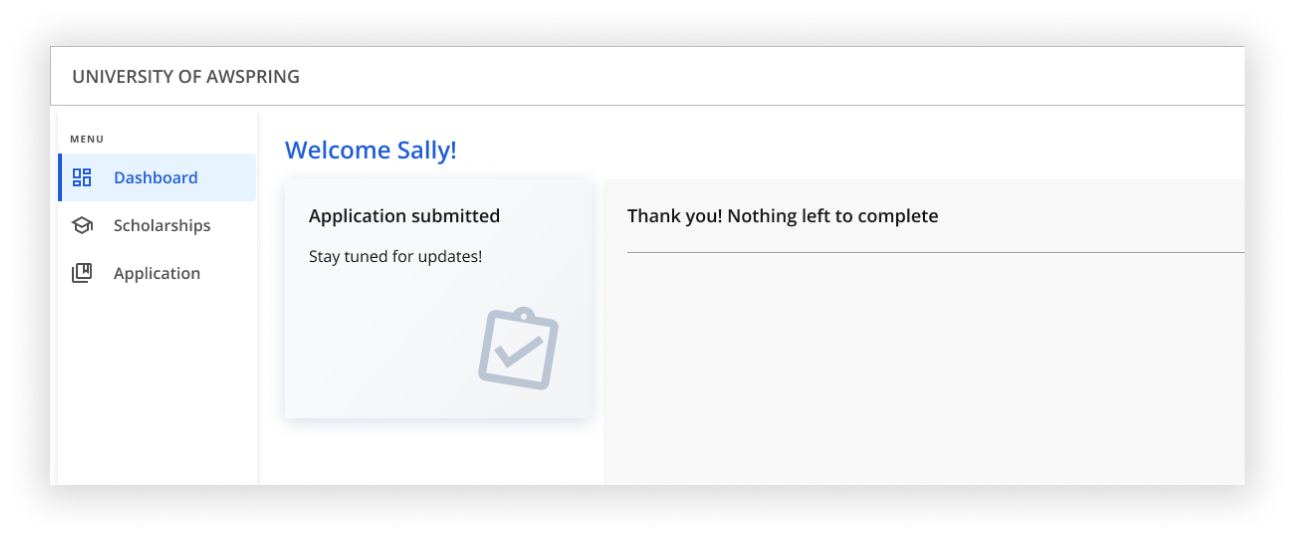
Complete Application: the application period is open, but a student has not yet submitted their application. The banner displays a progress bar indicating the completion status, along with a "Submit Application" button if they completed it and did not submit it, or it will display an "Apply" button in case that they are still filling out the application.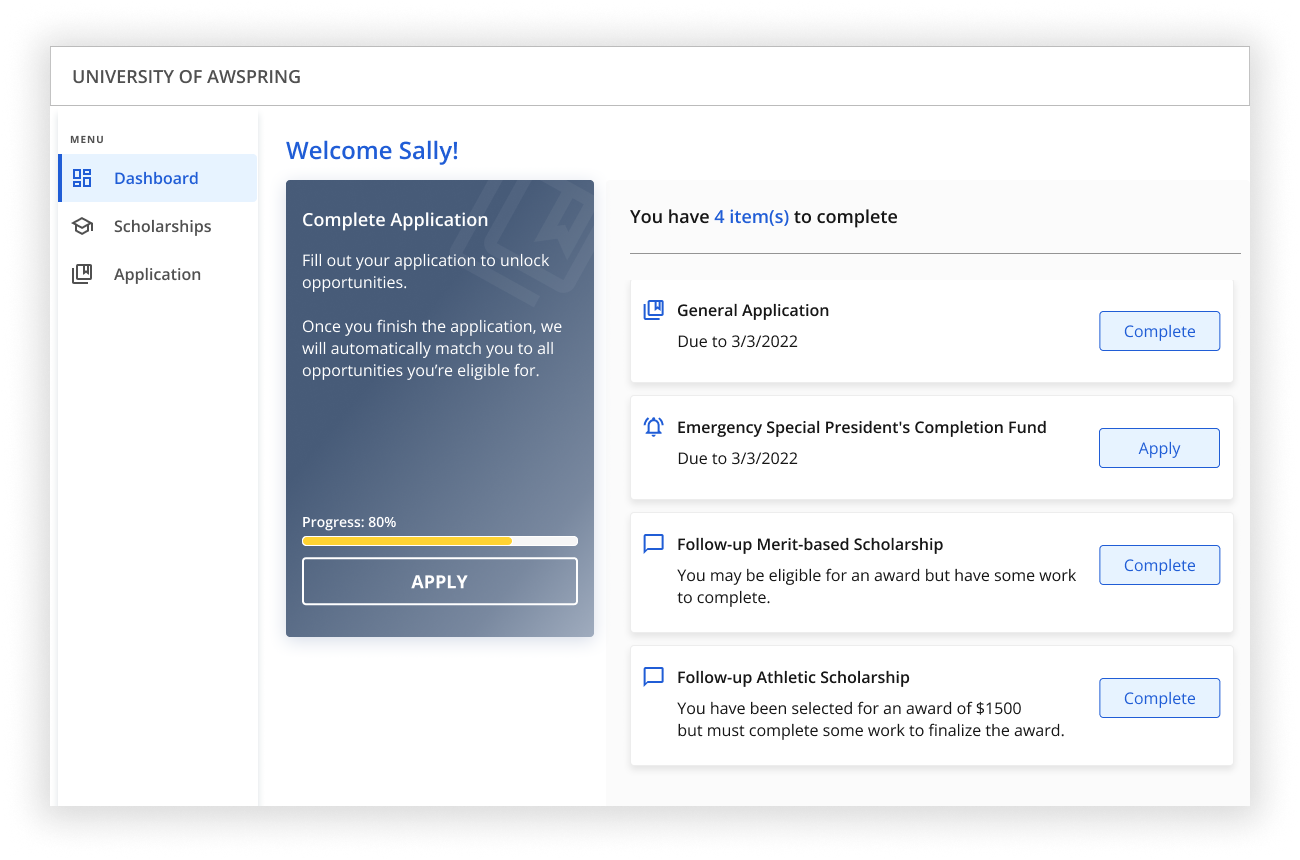
Congratulations!: this state indicates that the applicant has been awarded in the current cycle. 
Application submitted: this state confirms that a student has submitted their application but has not yet won any awards in the current cycle. 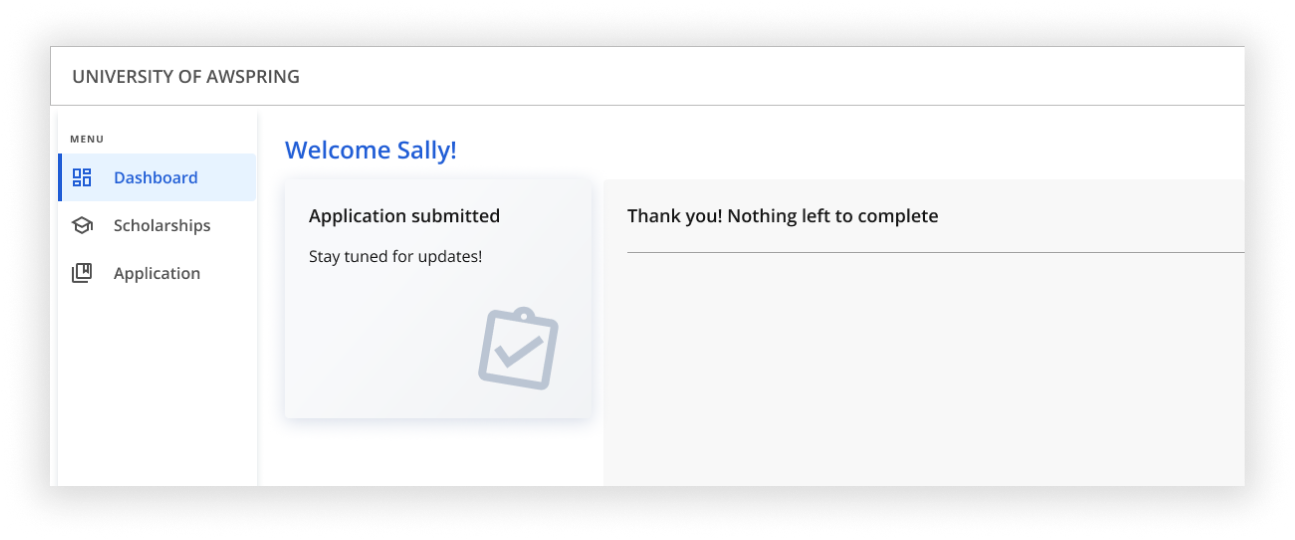
To-Do list
The list of tasks is sorted by priority. The logic behind it is designed to increase the chances of winning award(s) by ensuring that the most important tasks are seen and done first.
— When an applicant has at least one active task, the dashboard displays a notification saying "You have X item(s) to complete" and then lists tasks in the following order:
- General Application
- Special Funds: For selected students
- Additional requirements: Renewables
- Additional requirements: Post Award
- Additional requirements: Before Applying
- Special Funds: Everyone - Code Required
- Special Funds: Everyone
— When an applicant has no active tasks to be done, the dashboard displays a notification saying "Thank you! Nothing left to complete!"

Customization: set brand color
The brand color for the student dashboard can be customized. To learn how to further customize your AwardSpring site, click here.