
Feature Overview
The feature aimed to streamline the process of managing and updating scholarship statuses and dates. With this feature, in just a few clicks you can:
- Publish award statuses in bulk
- Notify awarded students in bulk (vs. by scholarship)
- Update scholarship application start and/or end dates
Step-by-step guide
- Navigate to the "Scholarships" tab in AwardSpring.
- Filter your scholarship data and identify which opportunities need to be updated using the column picker in the top right corner of the table header.
- When you're ready to make a bulk update, activate "Bulk Selection" by clicking the checkbox icon in the table header.
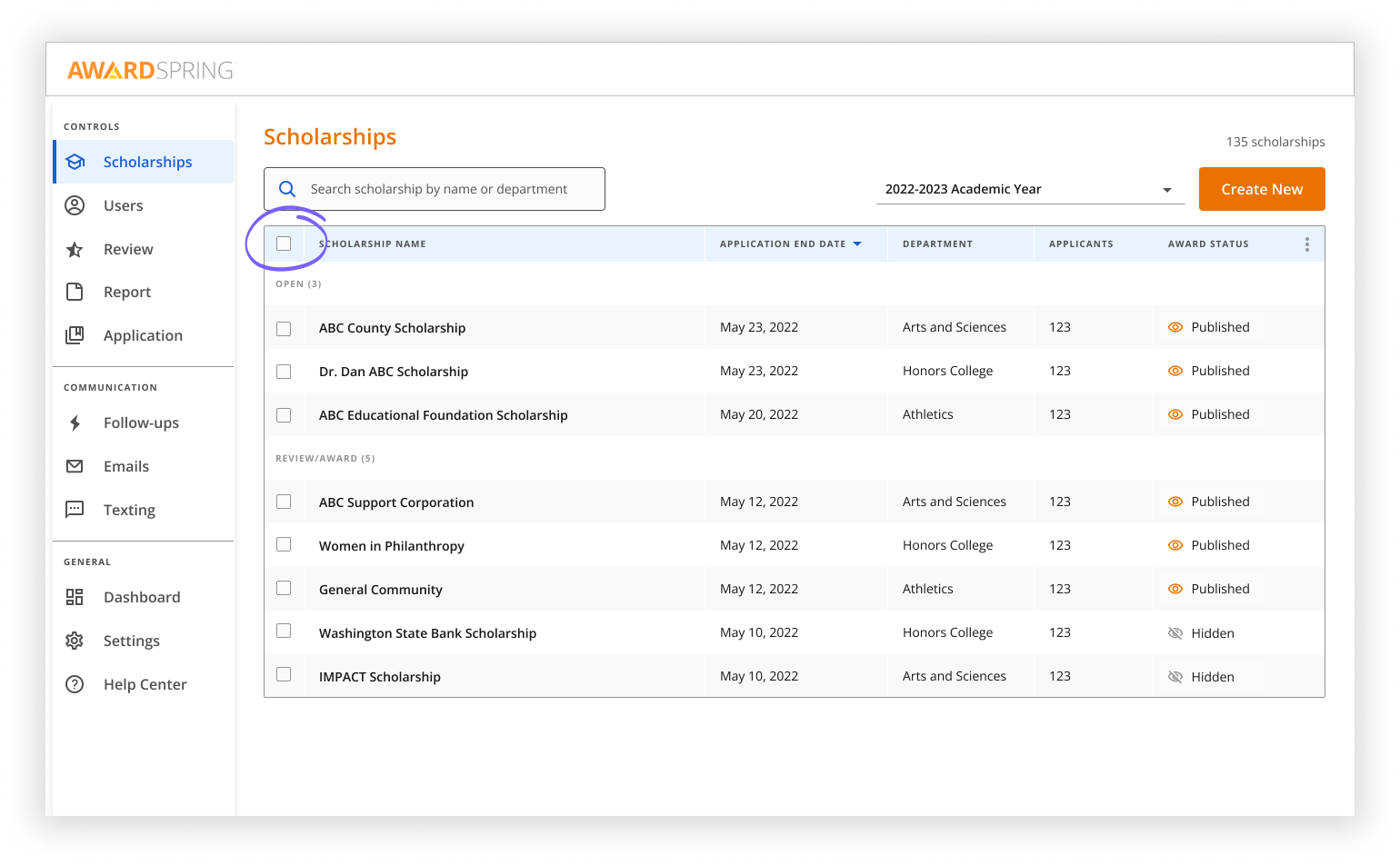
- Select scholarships to be updated.
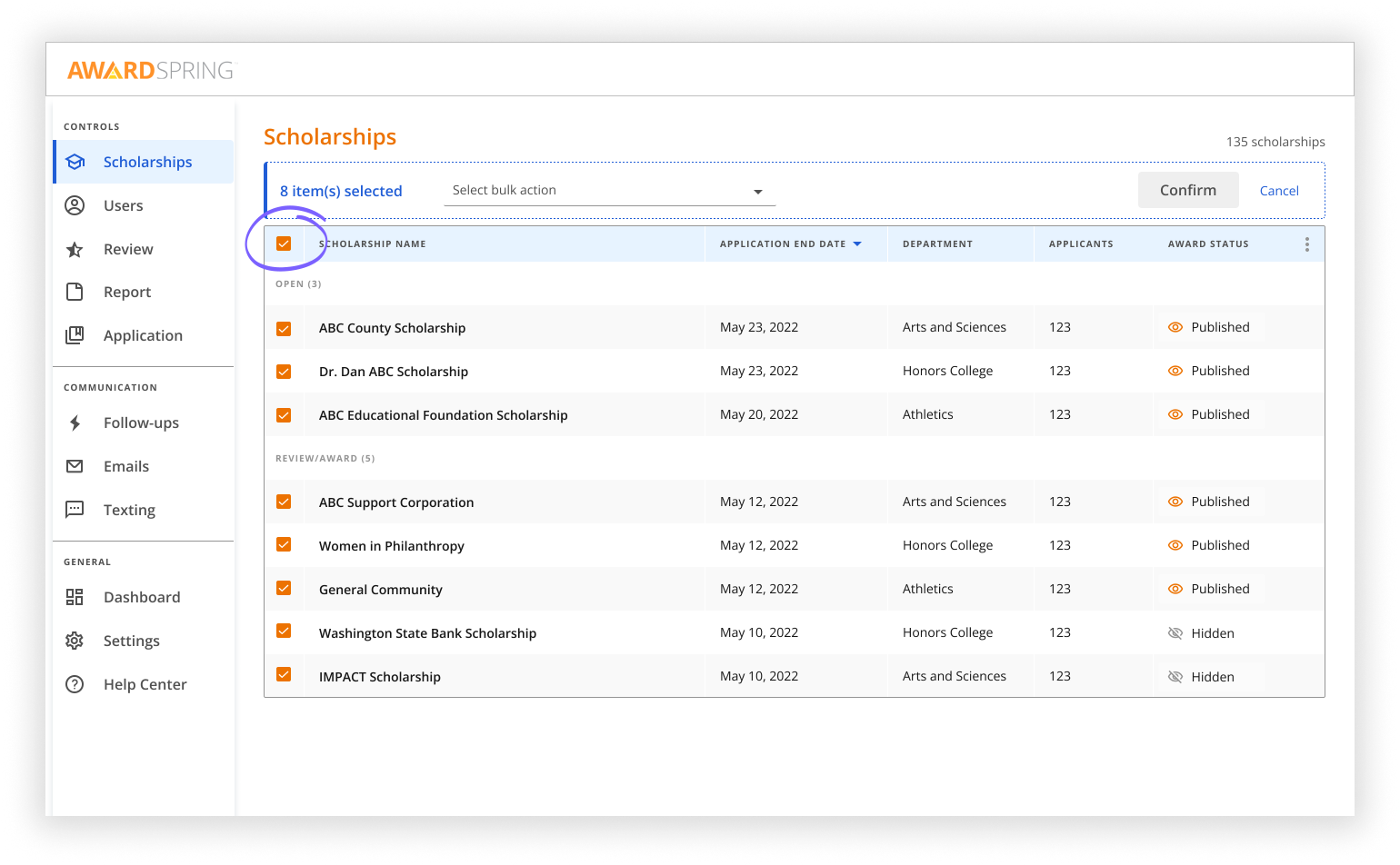
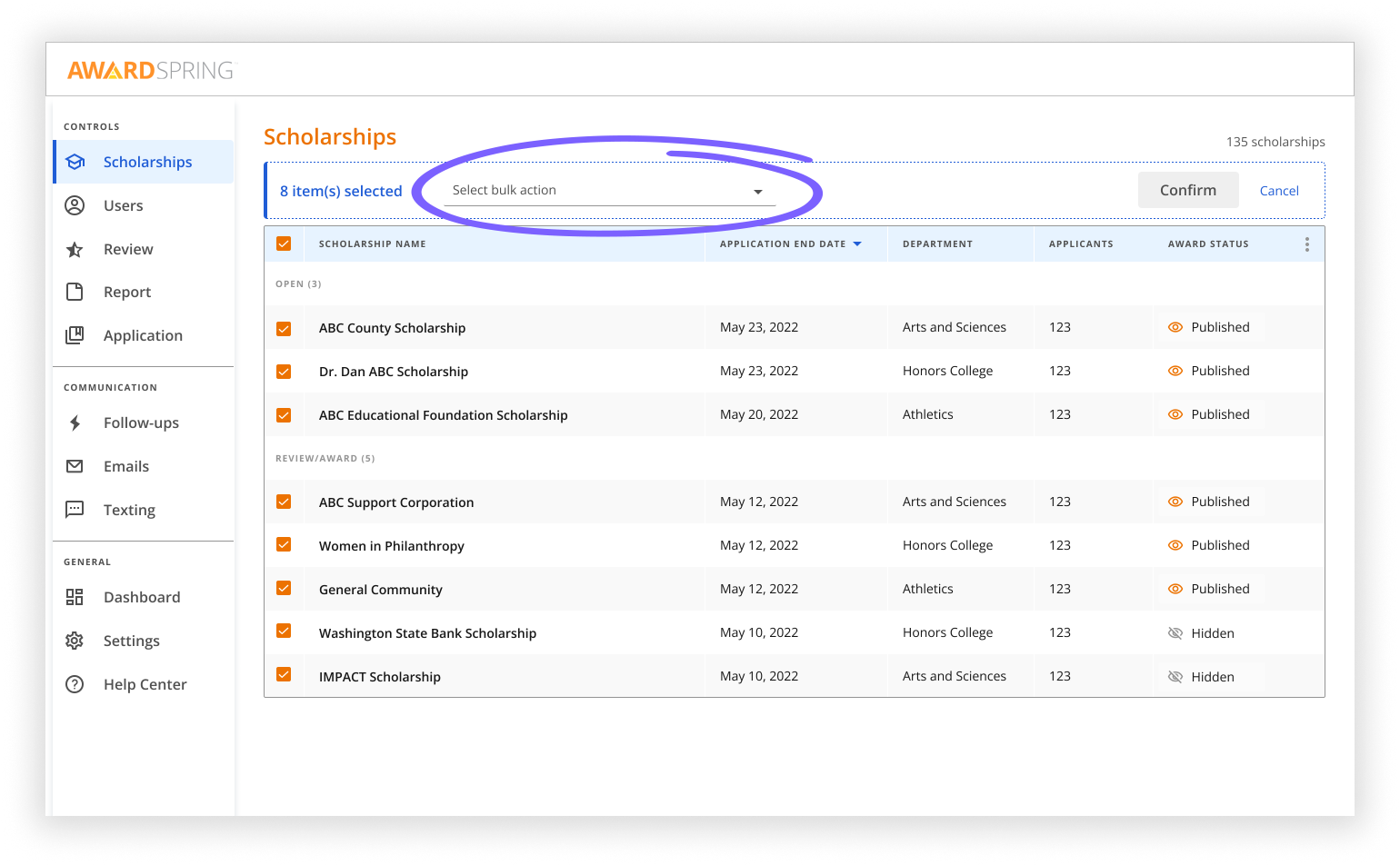
- Choose a bulk action from the dropdown menu.
- Confirm the update.
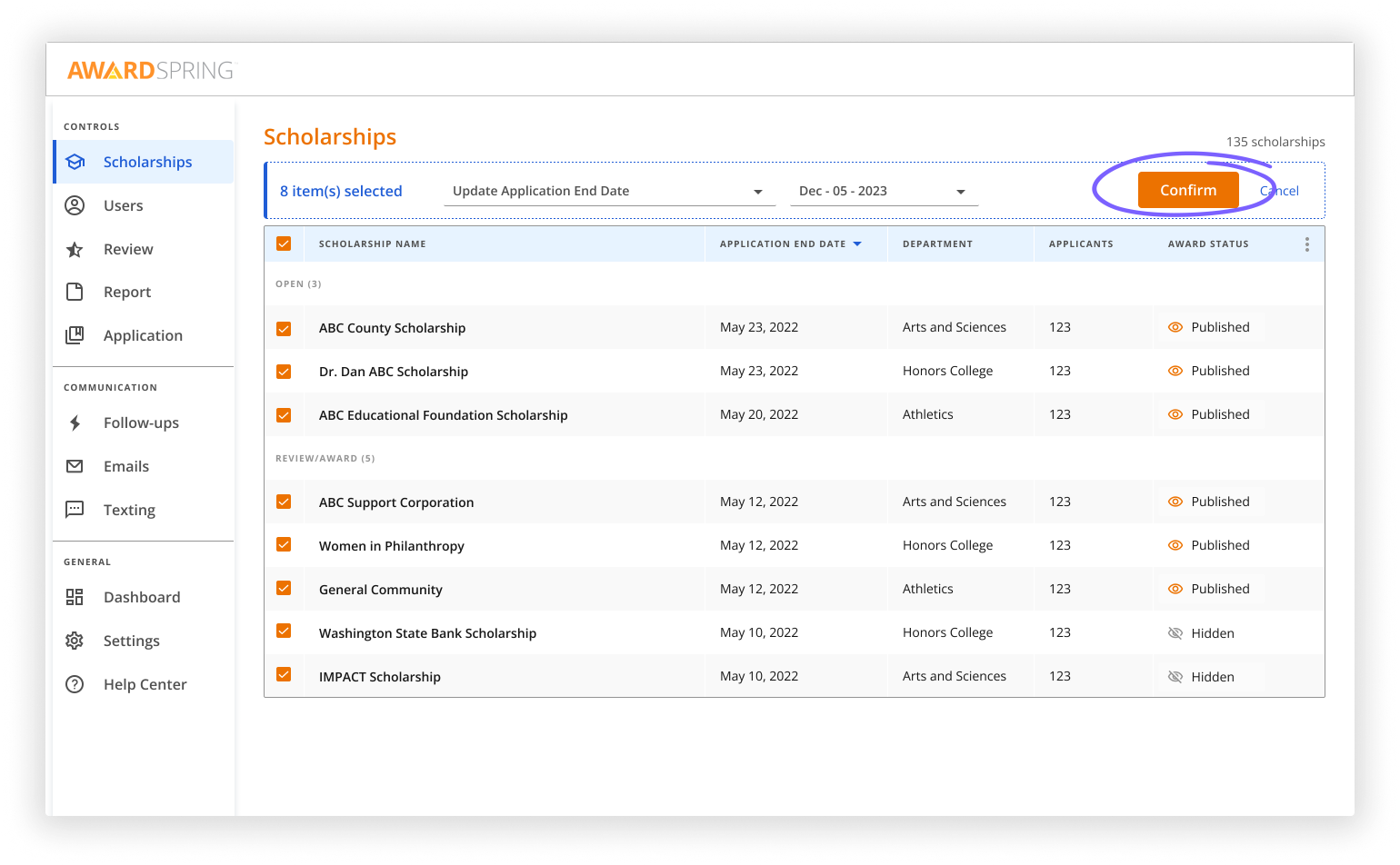
And with just a few clicks, your scholarships are updated and award notifications are sent.
Rules for publishing award status
In order to publish award status for a scholarship, it’s required to configure a total scholarship value and select at least one awarded student.
Otherwise, scholarship award status cannot be published and the following notification will be displayed: 
Rules for updating application start and end dates
-
Application start date for selected scholarships should always remain no later than the application end date;
-
Application start and end dates for scholarships should always remain within dates of award cycle they belong to;
-
In case of overlapping cycles, it is not possible to set overlapping applications periods for scholarships from different cycles.